China Nepal border travel needs two kinds of preparation: current route and safety checks, plus mobile coverage for each country. A travel eSIM can help when local networks are operating, but it cannot overcome a closed border, damaged road, power failure or network outage.
China segment
Use mainland coverage
A China-only plan should not be assumed to work after the phone leaves mainland China.
Nepal segment
Prepare Nepal coverage
Install the Nepal profile before the journey and select it after entering its coverage area.
Safety first
Verify before leaving
Check the border, roads, weather and operator instructions shortly before travel.
China–Nepal border travel: the quick connectivity answer
For an itinerary that enters both countries, the clearest setup is usually a China travel eSIM for mainland China and a Nepal eSIM for Nepal. One profile can cover both only when its current product page explicitly lists both destinations.
Natural hazards on the China–Nepal border route
The route crosses steep Himalayan terrain and river valleys. The 26 August disaster was preliminarily linked by Chinese geological experts to a high-altitude ice collapse on the Nepal side that developed into a fast debris flow and mudslide. It also demonstrates how one event can disrupt transport, electricity and communications at the same time.
| Risk | Possible impact | What travelers should do |
|---|---|---|
| Flash floods and debris flows | Rapid water and debris can damage roads, bridges and border facilities. | Avoid floodwater, riverbanks and damaged infrastructure. Follow evacuation or closure instructions. |
| Landslides and rockfalls | Mountain roads may close with little notice or remain unsafe after rainfall. | Confirm the road is open and be ready to delay, reroute or cancel. |
| Earthquakes and aftershocks | Roads, buildings, power and communications may be damaged. | Keep documents and contacts offline and follow local emergency guidance. |
| Sudden mountain weather | Storms, snow or poor visibility can delay transport and limit assistance. | Check forecasts, carry suitable clothing and confirm insurance for the planned altitude and route. |
Why eSIM coverage changes at the China–Nepal border
An eSIM is a digital SIM profile, not an independent satellite connection. It connects through the countries and partner networks listed by the purchased plan. At the border, three things can affect service:
- The covered country changes. A mainland China-only plan normally stops registering after the phone leaves its supported destination.
- The available partner network changes. The Nepal profile must register on a supported Nepalese network after the traveler enters coverage.
- Terrain and infrastructure matter. Valleys, tunnels, tower outages, power failures or damaged backhaul can interrupt an otherwise valid plan.
“No Service” near the border does not automatically mean the eSIM is defective. Confirm which country you are in, check the selected mobile-data line and try Airplane Mode briefly. Do not delete the profile as the first troubleshooting step because many travel eSIM QR codes are intended for one installation.
Install and switch your China and Nepal eSIMs
Do not wait until a remote border stop to download a profile. Installation needs internet access, while severe weather can affect local Wi-Fi, power and mobile service.
- Check the phone. Confirm that it is carrier-unlocked, supports eSIM and can store the profiles needed for the trip.
- Install before departure. Use stable Wi-Fi and follow the eSIM installation guide. Check the plan’s validity trigger before turning it on or using data.
- Label both lines. Use clear names such as “China Travel” and “Nepal Travel.” Keep data roaming off on the home SIM and disable automatic cellular-data switching.
- Use the China line in mainland China. Select it for mobile data and enable data roaming on that travel line when the plan requires it.
- Switch after entering Nepal. Turn on the Nepal line, select it for mobile data and enable data roaming if required. Keep the China profile installed.
- Refresh before troubleshooting. If registration is delayed, toggle Airplane Mode for about 10 seconds. Restart only if the short refresh does not work.
Prepare for periods without mobile service
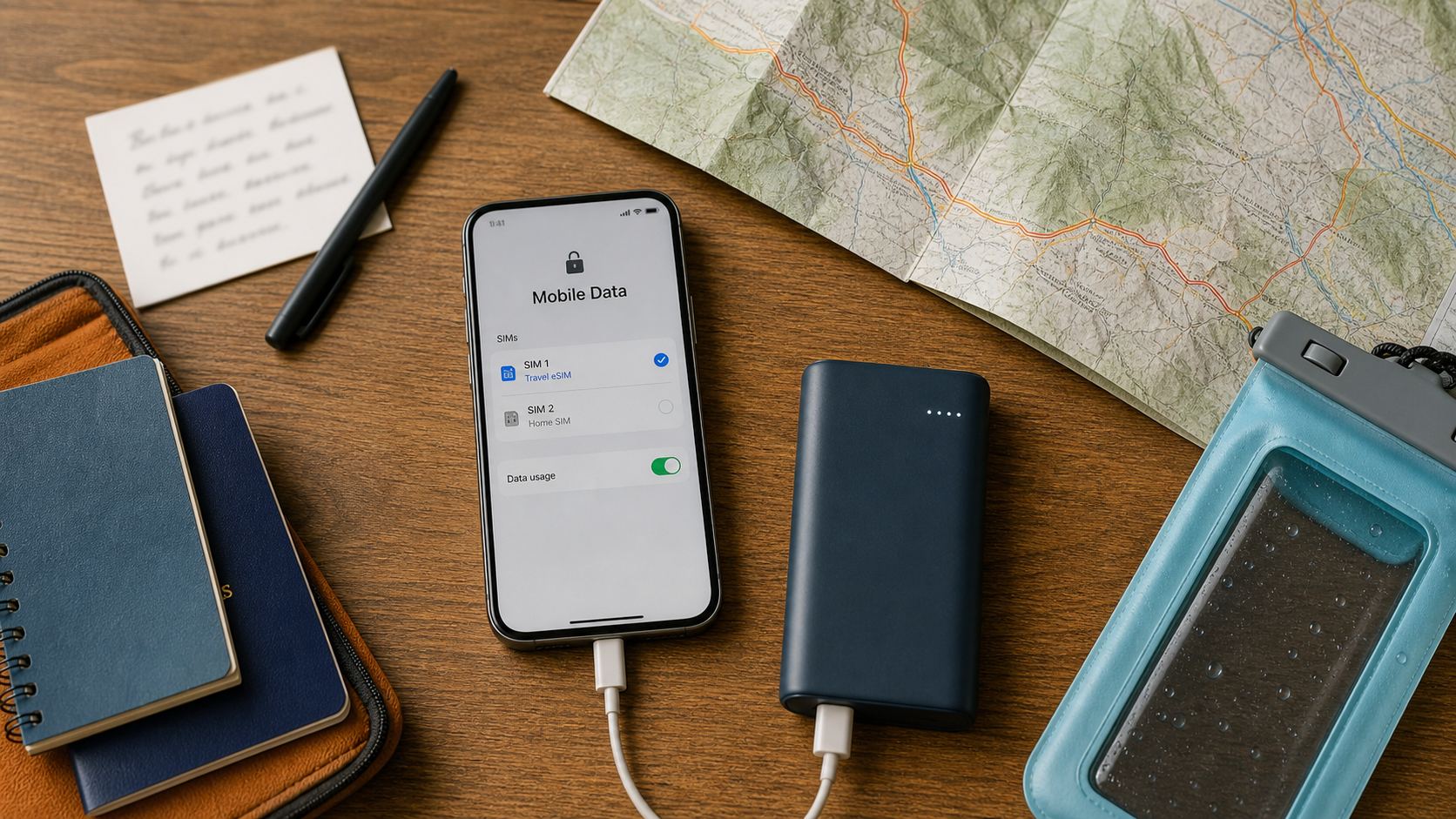
A useful border plan should still work when the phone has no signal. Save or carry:
- Offline maps for both country segments
- Hotel addresses and booking screenshots
- Secure offline copies of essential documents
- Transport, guide, hotel and insurer contacts
- Official border, road and weather sources
- eSIM order details without sharing the QR code
- A charged power bank and correct cable
- A waterproof pouch and written meeting plan
If several people are traveling together, avoid making one phone and one hotspot the group’s only connection. Hotspot use also consumes the phone’s data allowance and battery; see the China eSIM hotspot guide for setup and limits.
A 48-hour China–Nepal border travel check
- Confirm that the crossing and connecting roads are open for your itinerary.
- Check weather, flood and travel advice for both sides of the route.
- Ask your licensed transport or tour operator whether the route or timing has changed.
- Confirm that both eSIM profiles appear in the phone’s settings and no QR code still needs to be downloaded.
- Refresh offline maps, bookings and emergency contacts.
- Charge the phone and power bank fully and keep documents protected from water.
If authorities or your operator advise postponement, do not continue because the phone has data. Connectivity supports a safe travel plan; it does not replace one.
Choose the destination plan that matches where the phone needs to connect, and verify the live coverage, validity and activation details before checkout.
Frequently asked questions
Can one eSIM cover both China and Nepal?
Only if the product’s current coverage list explicitly includes both mainland China and Nepal. For this overland itinerary, separate China and Nepal plans are usually easier to verify and switch.
Will my China eSIM work after I cross into Nepal?
A mainland China-only eSIM should not be expected to work in Nepal. Install a Nepal plan before the journey and select it for mobile data after entering Nepal.
When should I install my China and Nepal eSIMs?
Install both profiles before departure over stable Wi-Fi. Label each profile clearly, but check the plan’s activation rule before turning it on or using data.
Why does my eSIM show no service near the China–Nepal border?
You may be outside the plan’s covered country, between supported networks, in difficult terrain, or in an area with a temporary outage. Check the selected data line, try Airplane Mode briefly and do not delete the profile as the first fix.
Can an eSIM keep me connected during a flood, mudslide or power outage?
Not if the local tower, power supply or backhaul is unavailable. A travel eSIM uses terrestrial mobile infrastructure. Carry offline information and power, and do not treat it as emergency satellite equipment.
Official sources and update note
- Chinese government portal: emergency response after the Gyirong mudslide — 26 August 2026
- China Geological Survey: preliminary assessment of the ice-collapse and debris-flow chain — 28 August 2026
- Nepal Ministry of Home Affairs: official Rasuwa flood relief notice — 27 August 2026
- Smartraveller: current Nepal travel advice and border-area warning — checked 31 August 2026
- UK travel advice: Nepal natural hazards, monsoon and road safety
Travel conditions, border access, product coverage, network partners and plan terms can change. Recheck official route information and the live product pages before travel. This guide does not replace government travel advice, emergency instructions, permit requirements or professional medical guidance.
High-speed data, wherever your journey leads
Enjoy instant, secure mobile data with Ezigo eSIM in 200+ destinations. No physical SIM needed.