Travel connectivity guide
Understand the switch before you travel
A practical guide to data roaming, travel SIM settings, unexpected charges and getting mobile data working abroad.
When to turn it on
How to avoid charges
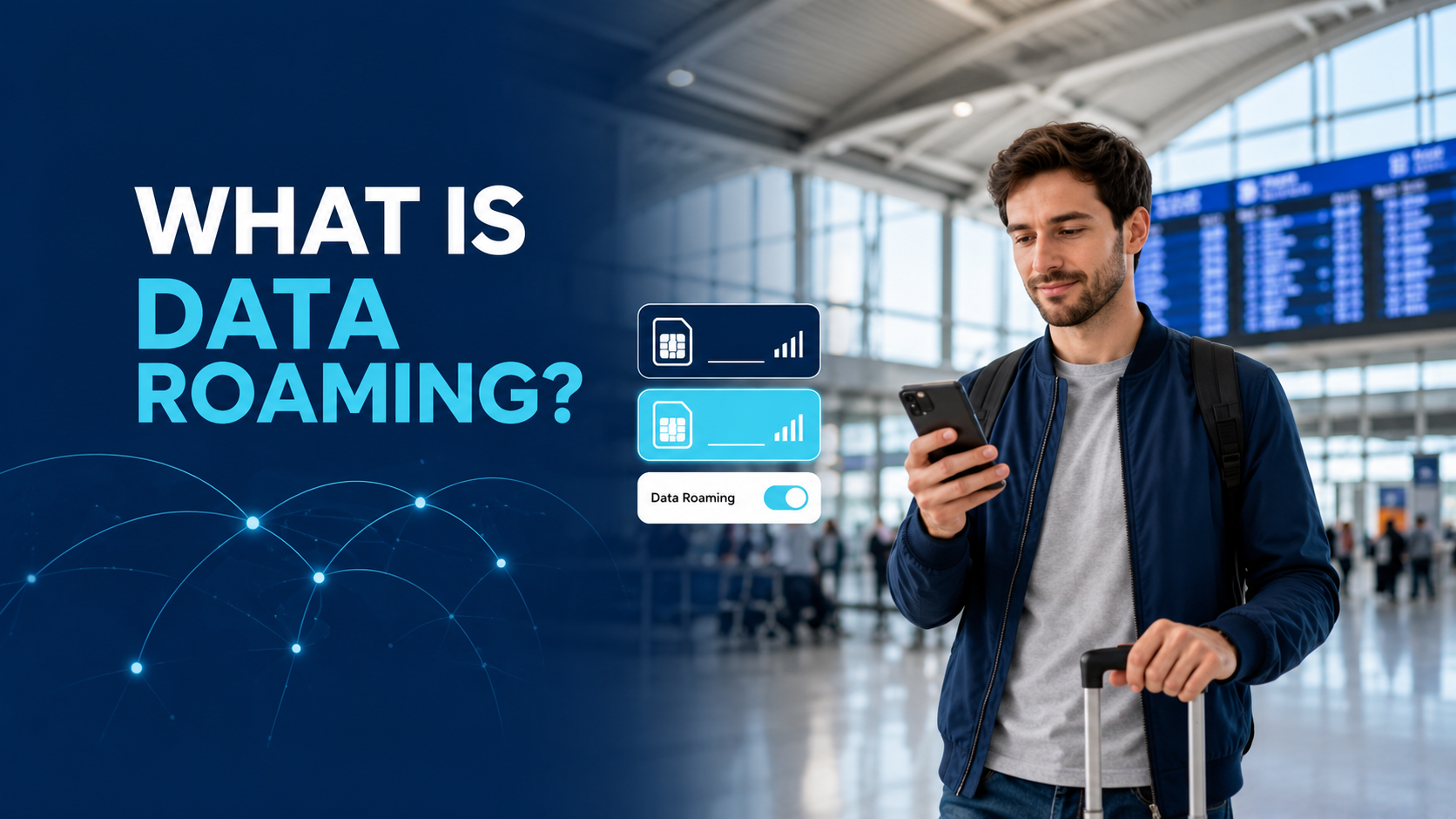
What is data roaming? It is the ability of a phone’s SIM to use mobile data through a partner network outside its carrier’s normal coverage. When you travel abroad, data roaming can keep maps, messages and other apps working, but the plan—not the switch itself—determines whether you are charged.
The short answer
- Using your home carrier’s roaming pass? Keep the home SIM selected for Mobile Data and follow the carrier’s activation rules.
- Using a travel eSIM? Select the travel line for Mobile Data and follow that plan’s instructions. Some travel eSIMs require Data Roaming on the travel line.
- Using Wi-Fi only? Turn Mobile Data off on every SIM to avoid cellular data use.
- Using two SIMs? Check the line name before changing any roaming switch.
What is data roaming, and how does it work?
Your SIM normally connects to its carrier’s own network. When that network is unavailable, the SIM may register on a partner network. Data roaming is the permission that allows the line to send and receive mobile data through that partner.
The switch is not a package. Turning it on does not buy a pass, set a price, guarantee coverage or decide how much high-speed data you receive. Those rules come from the plan attached to the SIM.
Mobile Data
Chooses which SIM supplies the phone’s cellular internet connection.
Data Roaming
Allows that SIM to use mobile data on another carrier’s network.
eSIM
Describes how a mobile plan is stored digitally on the phone. It does not, by itself, determine roaming or billing.
International and domestic data roaming are not always the same
International data roaming usually means using a partner network while you are abroad. Domestic roaming can occur when your carrier has limited coverage in a particular area and your phone connects to another network under a domestic agreement. The price and rules depend on the carrier and plan, so the term “roaming” does not automatically mean an international charge.
Should data roaming be on or off when traveling?
The practical question is not simply “on or off?” It is “on or off for which SIM?” Decide which line will provide mobile data, then allow roaming only on that line when the plan requires it.
Home-carrier pass
Select the home SIM for Mobile Data and follow the carrier’s destination, allowance and activation rules.
Travel eSIM
Select the travel eSIM for Mobile Data. Enable Data Roaming on that line only if the plan instructions require it.
Local SIM or eSIM
Use the local line for Mobile Data and confirm whether its network settings require roaming to be enabled.
Wi-Fi only
Turn Mobile Data off on every line. You will need Wi-Fi or an offline alternative when away from a hotspot.
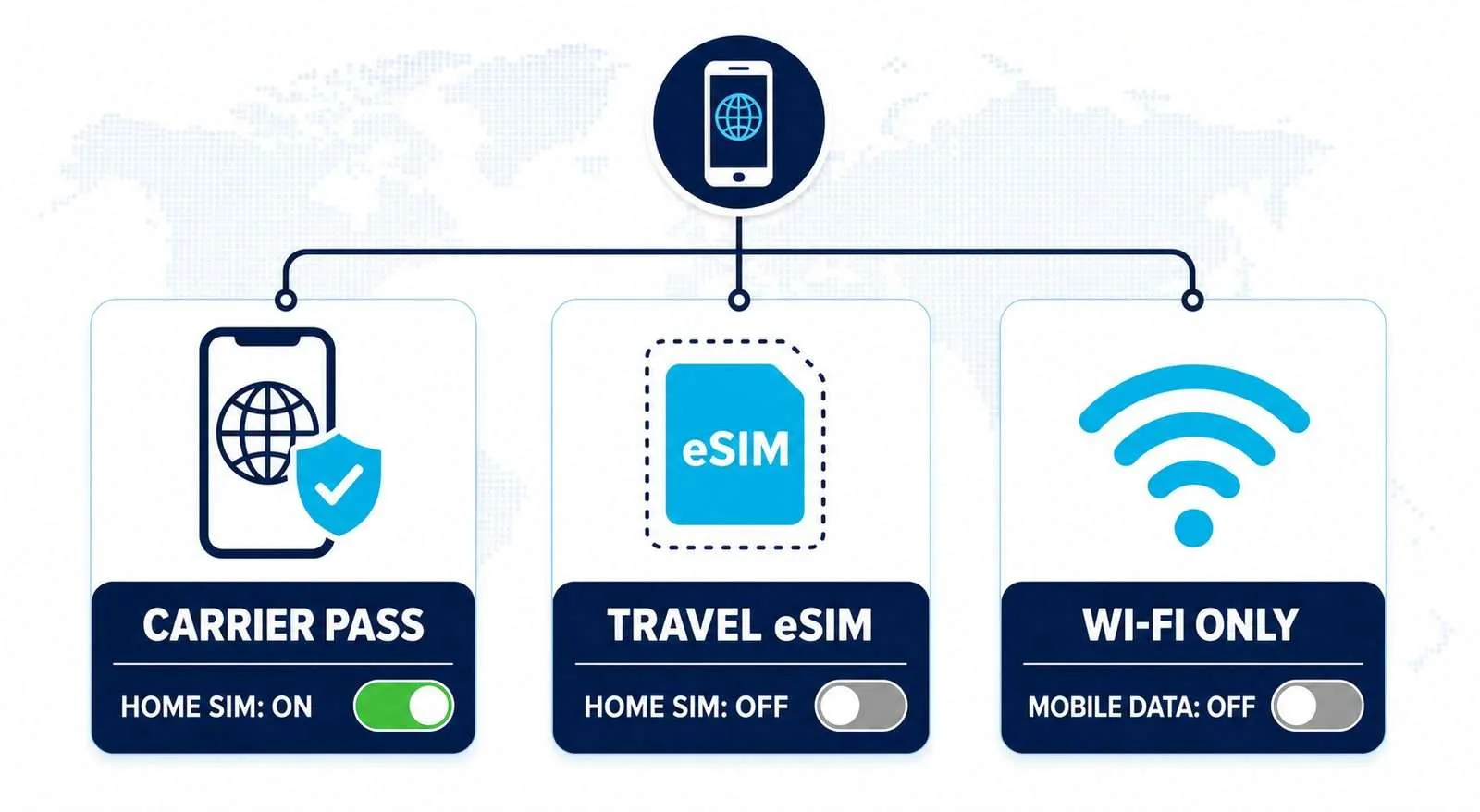
If you use a travel eSIM such as Ezigo, check its current installation instructions before departure. Plan requirements can differ, and the travel line—not the home line—should be the one configured for the plan’s data connection.
How much does data roaming cost, and what can still be charged?
There is no universal data-roaming price. The cost can depend on the carrier, destination, type of plan, amount of data used and whether a daily or regional pass is active. Some plans include roaming, while others charge by usage or trigger a pass when the line connects and uses cellular service.
Before departure, check the carrier’s current terms for the destination. Look specifically for the high-speed allowance, overage or reduced-speed rule, the activation trigger, the daily charge and any limit on calls or texts.
Can calls and texts still cost money when data roaming is off?
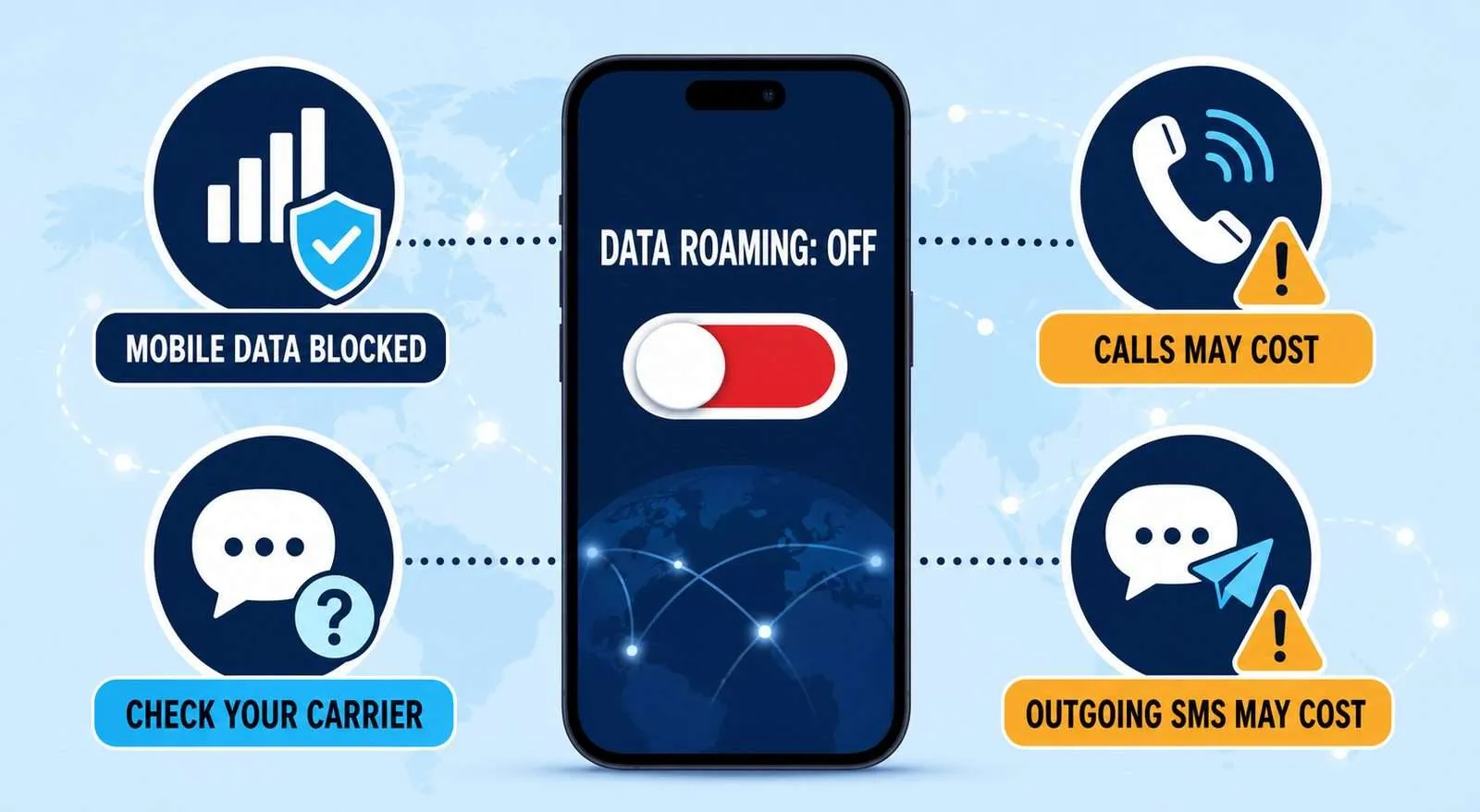
Turning Data Roaming off blocks partner-network mobile data on that line, but it does not necessarily disable the SIM. Calls, outgoing SMS and some Wi-Fi Calling activity can follow separate carrier rules. Incoming SMS may not require mobile data, but the line still needs to remain active and register on a supported network.
A settings switch is not a billing policy
The switch controls whether a SIM may use partner-network data. It does not override the carrier’s rules for voice, SMS, Wi-Fi Calling, roaming passes or international billing.
Does roaming always cost extra?
No. The plan and destination determine the charge. Eligible customers traveling within the EU and EEA may generally use domestic allowances under the EU “roam like at home” framework, subject to eligibility and fair-use limits. That protection does not automatically apply outside the participating area. Check the EU’s current mobile-roaming guidance for the applicable rules.
How do you turn on data roaming on iPhone and Android?
Open the settings for the exact SIM you want to change. Apple and Android devices provide per-line controls on supported dual-SIM phones, although labels and menu paths can vary by region, manufacturer and software version.
iPhone data roaming settings
- Open Settings.
- Tap Cellular or Mobile Data.
- If two lines are installed, select the line you want to configure.
- Tap Cellular Data Options or Mobile Data Options.
- Turn Data Roaming on or off for that line.
Android mobile-network settings
On a Google Pixel, go to Settings > Network & internet > SIMs, choose the SIM, then change Roaming. Samsung phones commonly place the control under Settings > Connections > Mobile networks or SIM manager. Confirm the selected SIM name before changing the switch.
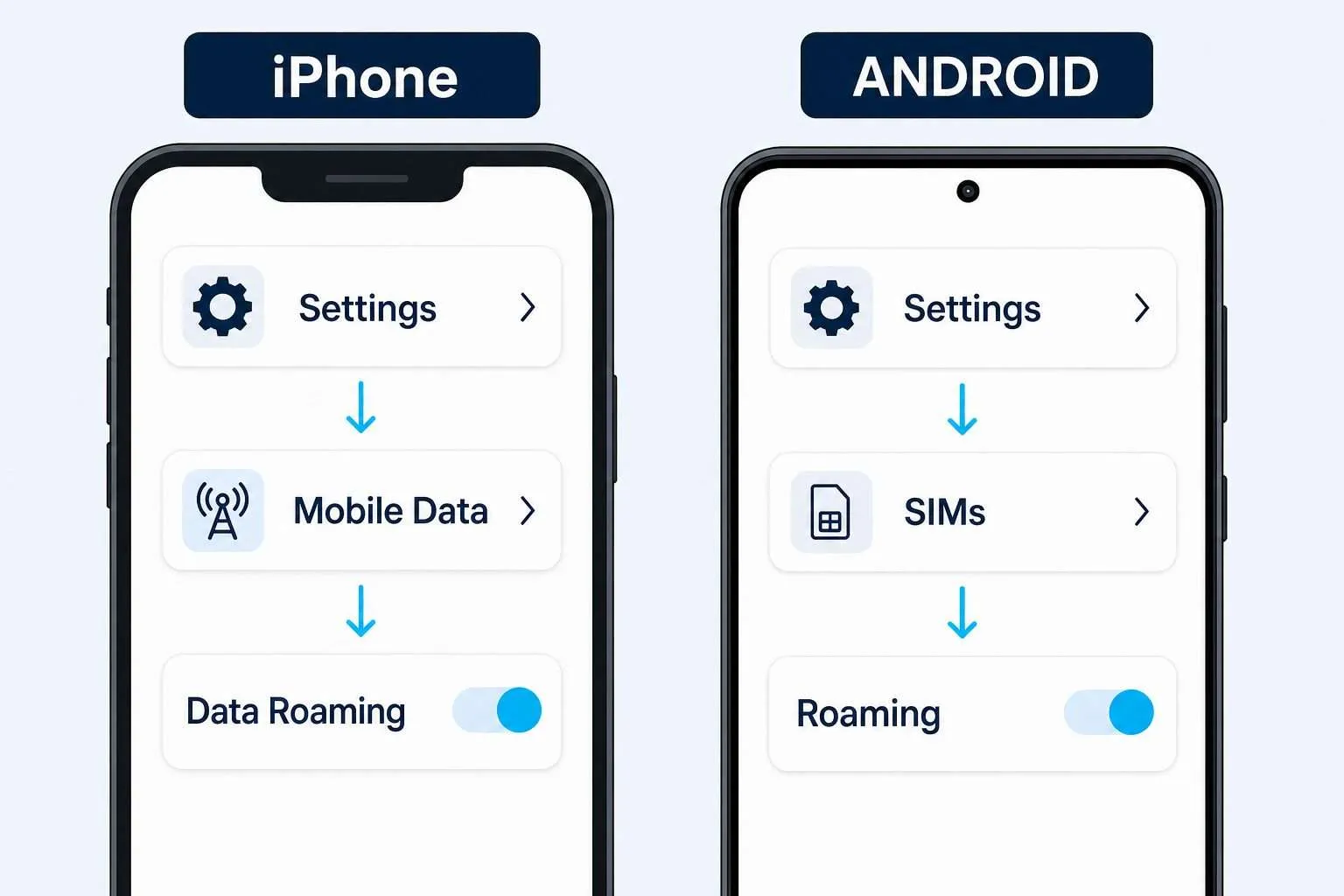
For current device-specific instructions, see Apple’s official iPhone guide and Google’s Pixel mobile-network guide.
How should you configure a home SIM and travel eSIM?
A dual-SIM setup works best when each line has one clear job. Install the travel eSIM while you still have stable internet, then configure the data line before you need it.
- Check compatibility. Confirm that the phone is carrier-unlocked and supports the eSIM and dual-SIM combination you plan to use.
- Install over reliable Wi-Fi. Save the plan instructions offline in case you need them after landing.
- Rename the lines. “Home” and “Travel” are easier to identify than two unfamiliar carrier names.
- Select Travel for Mobile Data. Maps, email and apps should use the travel plan’s allowance.
- Keep roaming off on Home. Enable it on the travel line only when the plan requires it.
- Disable automatic data switching. This reduces the chance of the phone falling back to the home line when the travel signal is weak.
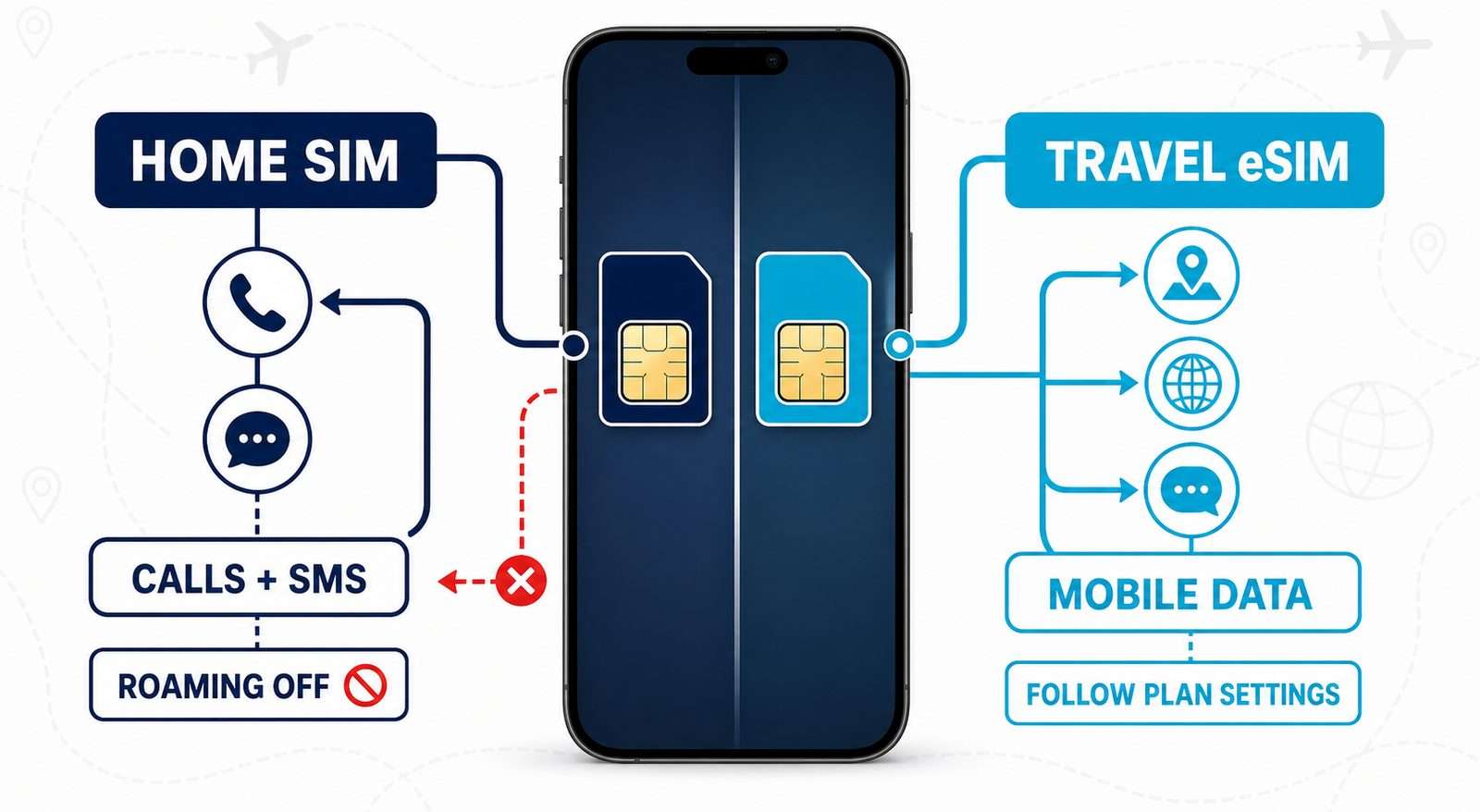
For a step-by-step walkthrough, see the eSIM installation guide. You can also use the device compatibility checker before buying.
How can you avoid unexpected roaming charges?
- Check your carrier’s destination, price and activation trigger before departure.
- Choose the intended line for Mobile Data and verify it after landing.
- Disable automatic cellular-data switching or fallback.
- Turn off cloud backups, automatic downloads and other heavy background activity when your allowance is limited.
- Download maps, tickets and important travel information for offline use.
- Do not assume that turning off Data Roaming also disables calls, SMS or Wi-Fi Calling charges.
- Do not delete an installed eSIM as an early troubleshooting step. Reinstallation rules vary, and some QR codes cannot be reused after the profile has been downloaded.
Public Wi-Fi can be useful, but a cellular data plan is often more predictable for navigation, transport apps and last-minute changes. If you compare travel data options, review the current eSIM destinations and plans alongside your home-carrier roaming terms.
Why is the travel eSIM installed but there is no internet?
Separate the problem into line selection, network registration and plan settings. Start with the three checks most likely to block a valid travel plan:
- Confirm that the travel eSIM line is turned on.
- Make sure it is selected for Mobile Data.
- Check whether the travel plan requires Data Roaming or a specific APN.
If those settings are correct, toggle Airplane Mode, confirm that you have reached the covered destination, try a supported network manually and check the plan’s APN instructions. Do not copy an APN from an unrelated provider.
For a symptom-based diagnosis, see the eSIM not working troubleshooting guide. Avoid deleting the eSIM while testing settings; contact the provider if the profile or QR code may need to be reissued.
Data roaming FAQ
Does turning Data Roaming on immediately create a charge?
Not necessarily. The switch permits partner-network data; the plan decides whether connecting or using data triggers a fee. Check the carrier or eSIM terms before arrival.
Should Data Roaming be on or off abroad?
It depends on the SIM supplying your data. Keep it off on a home SIM unless you intentionally use the carrier’s roaming service. Enable it on a travel line only when that plan requires it.
Can I use mobile internet abroad without Data Roaming?
Yes, through Wi-Fi or a local or travel SIM whose plan does not require the setting. A travel eSIM can provide mobile data, but its own activation and network instructions still apply.
Can I receive texts while Data Roaming is off?
Often, but not always. Standard SMS does not require mobile data, yet the line must remain active and register on a supported network. Delivery and pricing depend on the carrier and destination.
Should I turn off my home SIM completely?
Turn it off if preventing cellular calls and texts matters more than keeping the number reachable. Otherwise, leave it active with roaming off, disable data switching and check the carrier’s call, SMS and pass rules.
The right data-roaming setting depends on the line you use
The practical answer to what is data roaming is simple: it gives one SIM permission to use mobile data through another carrier’s network. The important step is choosing the correct line and checking the plan’s rules before connecting. Once you separate Mobile Data, Data Roaming and the eSIM profile, it becomes much easier to avoid accidental usage and unexpected charges.
Reviewed by the Ezigo eSIM Content Team
Product-specific instructions should be checked against the current plan and installation guide. General device, carrier and regulatory statements were reviewed against the primary sources below.
Last reviewed: October 10, 2026. Menu labels, SMS availability and carrier charging triggers can vary by device, software version, destination and plan.
Sources
High-speed data, wherever your journey leads
Enjoy instant, secure mobile data with Ezigo eSIM in 200+ destinations. No physical SIM needed.