Can you use a China eSIM as a hotspot? Yes. Ezigo China eSIM plans support personal hotspot sharing on compatible devices, so you can connect a laptop, tablet or another phone through your smartphone. The important decision is not only whether hotspot works, but how the chosen plan behaves when its high-speed allowance is used.
Compare Daily, Unlimited and Total data before you buy. Need Hong Kong or Macao too? Use the three-region plan.
Choose Standard Daily
Predictable daily high-speed data
Best when your phone and laptop use can stay within 2GB or 3GB of high-speed data each day. After that, the connection continues at up to 384Kbps until the next mainland China midnight reset.
Choose Unlimited
Continued service after 1GB
Best when you need the connection to remain usable after 1GB of high-speed data per day. The speed then continues at up to 5Mbps until the next reset. It does not mean unlimited full-speed tethering.
Choose Total
One pool with recharge support
Best when you prefer a fixed total allowance or may need to add data later. Total Data supports recharge; Daily and Unlimited plans do not.
- Can a China eSIM be used as a hotspot?
- Which China eSIM plan is suitable for hotspot use?
- China eSIM Hotspot vs. Pocket Wi-Fi
- How Ezigo hotspot sharing works
- How to buy for several travelers
- Mainland China vs. Hong Kong and Macao coverage
- Do connected laptops need a separate VPN?
- How to set up hotspot on iPhone
- How to set up hotspot on Android
- China eSIM hotspot troubleshooting
- China eSIM hotspot FAQ
Can a China eSIM be used as a hotspot?
Yes. A travel eSIM provides mobile data in the same way a physical SIM does, and a compatible smartphone can share that connection through Personal Hotspot or Wi-Fi Hotspot. Ezigo’s current China plans support hotspot sharing, but the connected devices do not receive a separate data allowance.
If your laptop downloads cloud files, joins video calls or installs system updates, those activities use the same plan data as navigation and messaging on the phone. That is why the post-allowance rule matters as much as the headline data amount.
Which China eSIM plan is suitable for hotspot use?
The right plan depends on what the connected device will do after the high-speed allowance is reached. A user who only needs messages and maps has a different requirement from a buyer who will work from a laptop every afternoon.
| Plan type | How hotspot data works | After the high-speed allowance | Best fit |
|---|---|---|---|
| Total Data | Phone and connected devices share one fixed total data pool. | / | Users who want full-speed data while the balance lasts and the option to recharge later. |
| Standard Daily | Phone and hotspot traffic share 2GB or 3GB of high-speed data per day. | Continues at up to 384Kbps until midnight China time. Daily and Unlimited high-speed allowances reset at mainland China local midnight. | Navigation, messaging, email and light tethering with a predictable daily limit. |
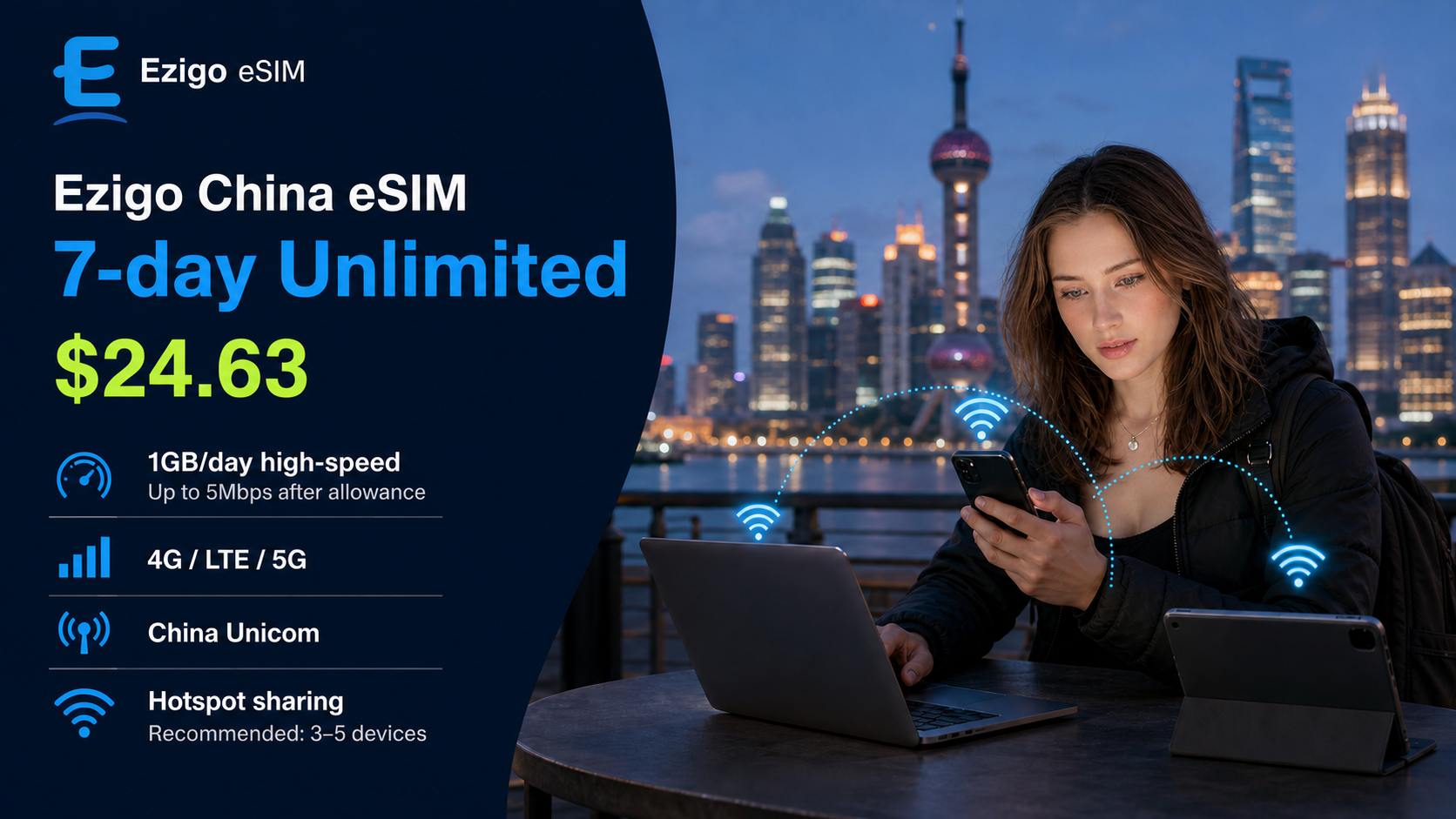
| Unlimited | Phone and hotspot traffic share 1GB of high-speed data per day. | Continues at up to 5Mbps until midnight China time. The connection continues, but the daily allowance is not unlimited full-speed data. | Travelers who prefer continued access for maps, messages, browsing and moderate work after the high-speed allowance. |
What can 384Kbps or 5Mbps do after the limit?
| Reduced speed | Usually suitable for | Less suitable for |
|---|---|---|
| Up to 384Kbps | Text messages, email, simple text pages, basic booking updates and low-data app activity. | Video calls, streaming, large attachments, cloud sync and software updates. |
| Up to 5Mbps | Navigation, messaging, browsing, email, social apps and many routine work tasks on one connected device. | Heavy multi-device sharing, large downloads, high-quality streaming and repeated system backups. |
These are practical planning guidelines rather than a speed guarantee. Actual results depend on signal, congestion, phone hardware, the number of connected devices and the traffic running in the background.
Already know how you will use hotspot?
Open the live selector to compare current validity, data allowances and prices.
China eSIM Hotspot vs. Pocket Wi-Fi Rental
Pocket Wi-Fi remains useful for groups that want one separate router, but it adds another device, charging routine and rental process. A China eSIM hotspot keeps the connection on a phone you already carry. The better option depends on group size, device compatibility and whether everyone stays together.
| Comparison feature | Ezigo China eSIM hotspot | Traditional Pocket Wi-Fi |
|---|---|---|
| Hardware and deposit | No separate router. Install the eSIM on a compatible phone. There is no Pocket Wi-Fi security deposit. | Usually requires a physical router and a commonly quoted security deposit of about $50–$100, depending on the provider. |
| Pickup and return | Digital delivery. Install before departure and avoid collecting or returning a rental device. | Often involves airport or delivery pickup and a return process after the trip. |
| Portability and battery | No extra device to carry. Hotspot use does consume the smartphone’s battery, so a power bank is still useful. | A common travel-router reference point is around 200g and roughly 6–10 hours of battery life, so the router may also need charging during a long day. |
| Indicative seven-day cost | Often about $10–$25, depending on the selected package and current price. | A common rental range is about $50–$100+ after rental charges, service fees and deposit arrangements. Actual prices vary by provider and season. |
| Best fit | One traveler, a small group with compatible phones, or anyone who wants digital delivery and plan-level control. | A group that prefers one dedicated router or includes several devices that cannot use eSIM. |
Practical verdict: eSIM hotspot is usually the simpler option when the hotspot phone is compatible and the group can manage its shared data and battery. Pocket Wi-Fi can make sense when a larger group needs one dedicated connection and does not mind carrying and charging another device.
How Ezigo China eSIM hotspot sharing works
Hotspot traffic draws from the same active Ezigo plan as the phone. There is no hidden second pool for the laptop, so a plan with a small daily allowance can be consumed quickly by background downloads or several connected devices.
| Ezigo rule | What it means in practice |
|---|---|
| Hotspot support | Current China Mainland plans support hotspot sharing on compatible iOS and Android smartphones. |
| Shared allowance | Phone data and hotspot data use the same daily or total plan allowance. |
| Recharge | Total Data supports recharge through the account or ICCID lookup. Standard Daily and Unlimited plans do not support recharge. |
| Network mapping | Total Data plans operate on China Mobile. Standard Daily and Unlimited plans use China Unicom. Network selection is automatic on arrival. |
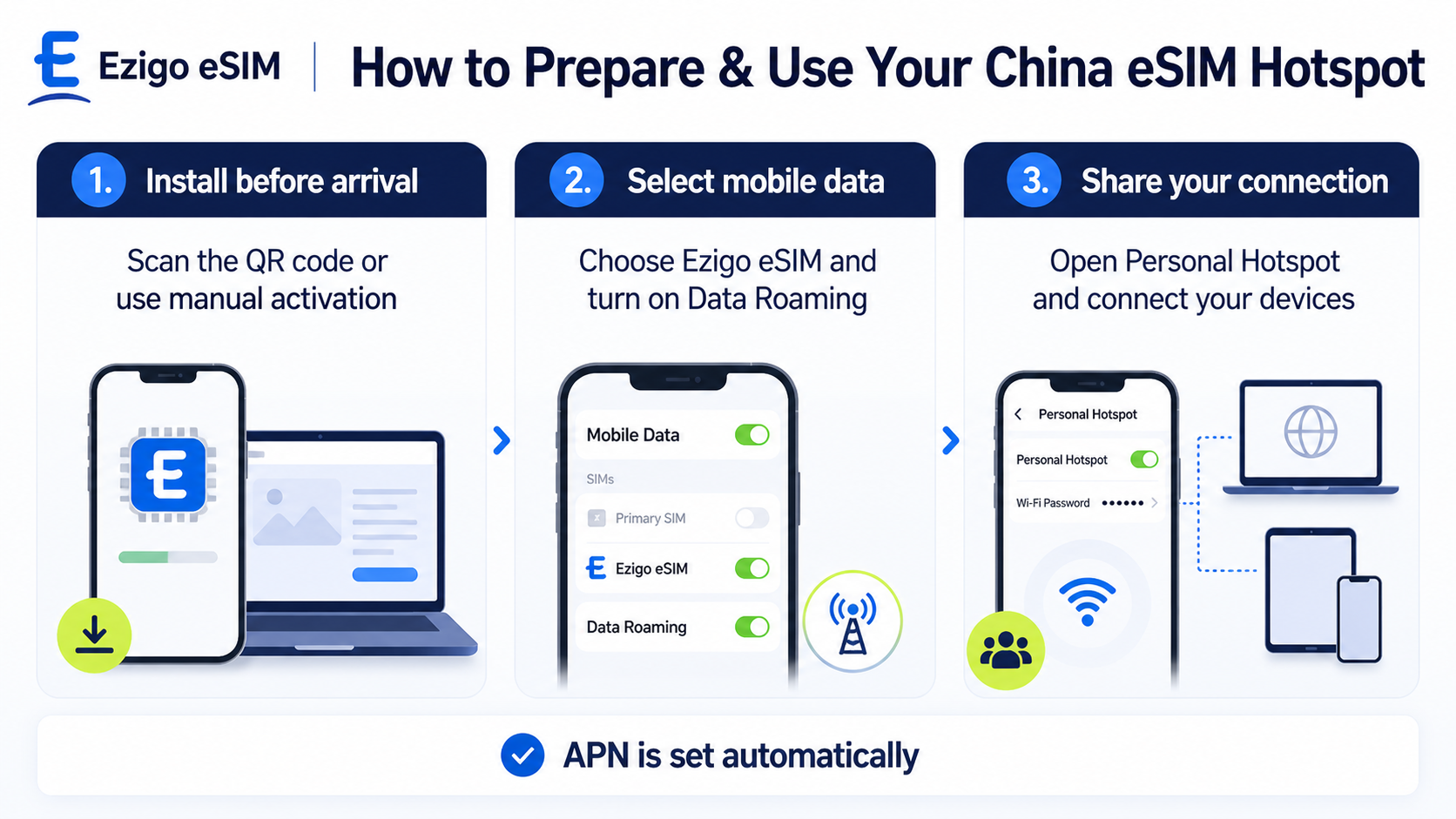
| Required settings | Select Ezigo as the active Mobile Data line and enable Data Roaming for that line. |
| APN | APN configuration is automatic. Do not enter unverified APN details manually. |
How to buy a China eSIM for several travelers
One shared hotspot is convenient only when the group usually stays together. If people separate for meetings, factory visits or sightseeing, separate eSIMs are more practical because each person keeps an independent connection.
One person plus laptop
One eSIM and personal hotspot
Use one compatible phone as the hotspot host. Keep background backups and automatic updates paused when data is limited.
Small group staying together
One host can share
The other phone, tablet or laptop only needs Wi-Fi to join. The host phone uses the plan allowance and battery for the shared connection.
Group that separates
Buy multiple eSIMs
Add several eSIMs to one order and distribute the individual QR codes and ICCIDs from the delivery email. Each QR code is used for its corresponding eSIM.
Does a mainland China eSIM cover Hong Kong and Macao?
No. The mainland-only China eSIM is for mainland China and does not cover Hong Kong or Macao. This matters for itineraries that combine a trade fair or business trip in Guangzhou or Shenzhen with a visit to Hong Kong or Macao.
Do connected laptops need a separate VPN?
Ezigo’s current China product information states that supported services such as Google, Gmail, WhatsApp, Instagram, Facebook, YouTube, Google Maps, Uber, DiDi and WeChat can be used over the mobile-data connection without installing a separate VPN app. This applies to the connection route, not as an unconditional guarantee for every website, device or account.
When a laptop connects to the phone’s hotspot, it uses the phone’s mobile-data connection. However, access can still vary with device settings, app accounts, local network conditions and service changes. Test any work-critical service before an important meeting.
How to set up a China eSIM hotspot on iPhone
- Install the eSIM before departure. Connect to stable Wi-Fi and scan the QR code in your activation email.
- Select Ezigo for mobile data. Open Settings → Cellular → Cellular Data and select the Ezigo line.
- Enable Data Roaming. Open the Ezigo line settings and turn Data Roaming ON.
- Prevent unwanted switching. Turn off Allow Cellular Data Switching if you do not want the phone to fall back to your home SIM.
- Turn on Personal Hotspot. Go to Settings → Personal Hotspot and enable Allow Others to Join.
- Connect the other device. Select the displayed Wi-Fi name and enter the hotspot password on your laptop, tablet or secondary phone.
How to set up a China eSIM hotspot on Android
- Install the eSIM on Wi-Fi. Add the eSIM profile using the QR code in the activation email.
- Select Ezigo as the data SIM. Open Settings → Network & Internet / SIMs and choose Ezigo for Mobile Data.
- Enable Data Roaming. Turn Data Roaming ON for the Ezigo eSIM profile.
- Turn on Wi-Fi Hotspot. Open Settings → Hotspot & Tethering, set a password and enable Wi-Fi Hotspot.
- Test the connection. Open a simple webpage on the connected device before relying on the connection for work.
China eSIM hotspot troubleshooting and quick fixes
If the hotspot option is unavailable or a connected device shows “No Internet Access,” check the host phone first. The connected laptop cannot browse if the phone itself is not using the Ezigo data line.
- Check the active data line. Confirm Ezigo is selected for Cellular Data or Mobile Data.
- Check Data Roaming. It must be enabled for the Ezigo line after the phone connects in China.
- Turn off automatic data switching. On iPhone, prevent the phone from moving data back to the home SIM.
- Reconnect the hotspot. Turn the hotspot off and on, forget the Wi-Fi network on the client device and reconnect.
- Refresh the network registration. Toggle Airplane Mode on for about 10 seconds, then turn it off and wait for the eSIM to reconnect.
- Check the allowance. If the connection slowed, confirm whether the daily high-speed allowance has been used and whether the plan is Standard Daily, Unlimited or Total.
| Problem | What to check |
|---|---|
| Hotspot option is missing or disabled | Confirm the eSIM is active for mobile data, Data Roaming is on and the phone is carrier-unlocked. |
| Connected device has no internet | Check whether the host phone can browse. If it can, restart Personal Hotspot and reconnect the client device. |
| Hotspot speed feels slow | Pause cloud backup and system updates, disconnect unused devices and check whether the daily high-speed allowance was reached. |
| APN field appears blank | Ezigo APN settings are automatic. Do not manually add unverified credentials. |
| QR code will not install again | Do not repeatedly scan the same QR code. Contact support with the order details if the profile needs attention. |
Need help? Visit the Ezigo installation guide, email [email protected] or contact WhatsApp Support.
China eSIM hotspot FAQ
Can I use a China eSIM as a hotspot?
Yes. Current Ezigo China eSIM plans support personal hotspot sharing on compatible iOS and Android devices. The phone and connected devices share the same active plan allowance.
Does hotspot data count toward the plan allowance?
Yes. Hotspot traffic uses the same allowance as the phone. Standard Daily provides 2GB or 3GB of high-speed data per day, Unlimited provides 1GB of high-speed data per day, and Total uses one fixed pool.
What happens after the high-speed allowance is used?
Standard Daily continues at up to 384Kbps, while Unlimited continues at up to 5Mbps until the next mainland China midnight reset. Total Data stops when its included data is exhausted and supports recharge.
Can I recharge an Ezigo China Total Data plan?
Yes. Total Data plans support recharge through your account or ICCID lookup. Standard Daily and Unlimited plans do not support recharge.
Can a phone without eSIM use a friend’s China eSIM hotspot?
Usually, yes. The receiving device only needs Wi-Fi. The phone sharing the hotspot must support eSIM, mobile data and personal hotspot.
Can I buy several China eSIMs in one order?
Yes. Add multiple eSIMs to one order. The delivery email includes the individual installation QR codes and ICCIDs.
Does the mainland China eSIM cover Hong Kong and Macao?
No. The mainland-only product does not cover Hong Kong or Macao. Choose the mainland–Hong Kong–Macao product if your itinerary includes all three regions.
Do I need a separate VPN on a laptop connected to the hotspot?
Ezigo states that supported services can be accessed over its China mobile-data connection without installing a separate VPN app. Availability can vary by device, account, local network conditions and service changes.
Is China eSIM hotspot better than Pocket Wi-Fi?
It is often simpler for one traveler or a small compatible group because there is no extra router to collect, return or charge. Pocket Wi-Fi may be more suitable for a larger group that wants one dedicated device.
Need a China eSIM for a laptop, tablet or travel group?
Choose the plan by daily high-speed needs, post-allowance behavior, recharge requirements and regional coverage.
Conclusion
A China eSIM hotspot can be a practical way to connect a laptop, tablet or companion phone, but “hotspot supported” is only the first question. The better choice depends on the shared allowance, what happens after the high-speed limit, whether recharge is available and whether your itinerary includes Hong Kong or Macao.
For light, predictable daily use, compare Standard Daily. For continued access after the daily high-speed allowance, compare Unlimited. For a fixed pool with recharge support, choose Total. Install the eSIM over Wi-Fi before departure, enable Data Roaming after arrival and test the hotspot before relying on it for work.
Plan details and further reading
- Ezigo China Mainland eSIM Product Page
- Ezigo China Mainland–Hong Kong–Macao eSIM
- How Much Data Do You Need for China?
- Does WhatsApp Work in China?
- Ezigo eSIM Installation Guide
- Ezigo Refund Policy
Ezigo plan types, network mappings, hotspot support, app-access wording and post-allowance rules were checked against the official China Mainland eSIM product page. Pocket Wi-Fi figures in this comparison are indicative common ranges and may vary by provider, season and rental conditions. Speeds and network availability can vary by device model, location, congestion and local cellular coverage.
High-speed data, wherever your journey leads
Enjoy instant, secure mobile data with Ezigo eSIM in 200+ destinations. No physical SIM needed.