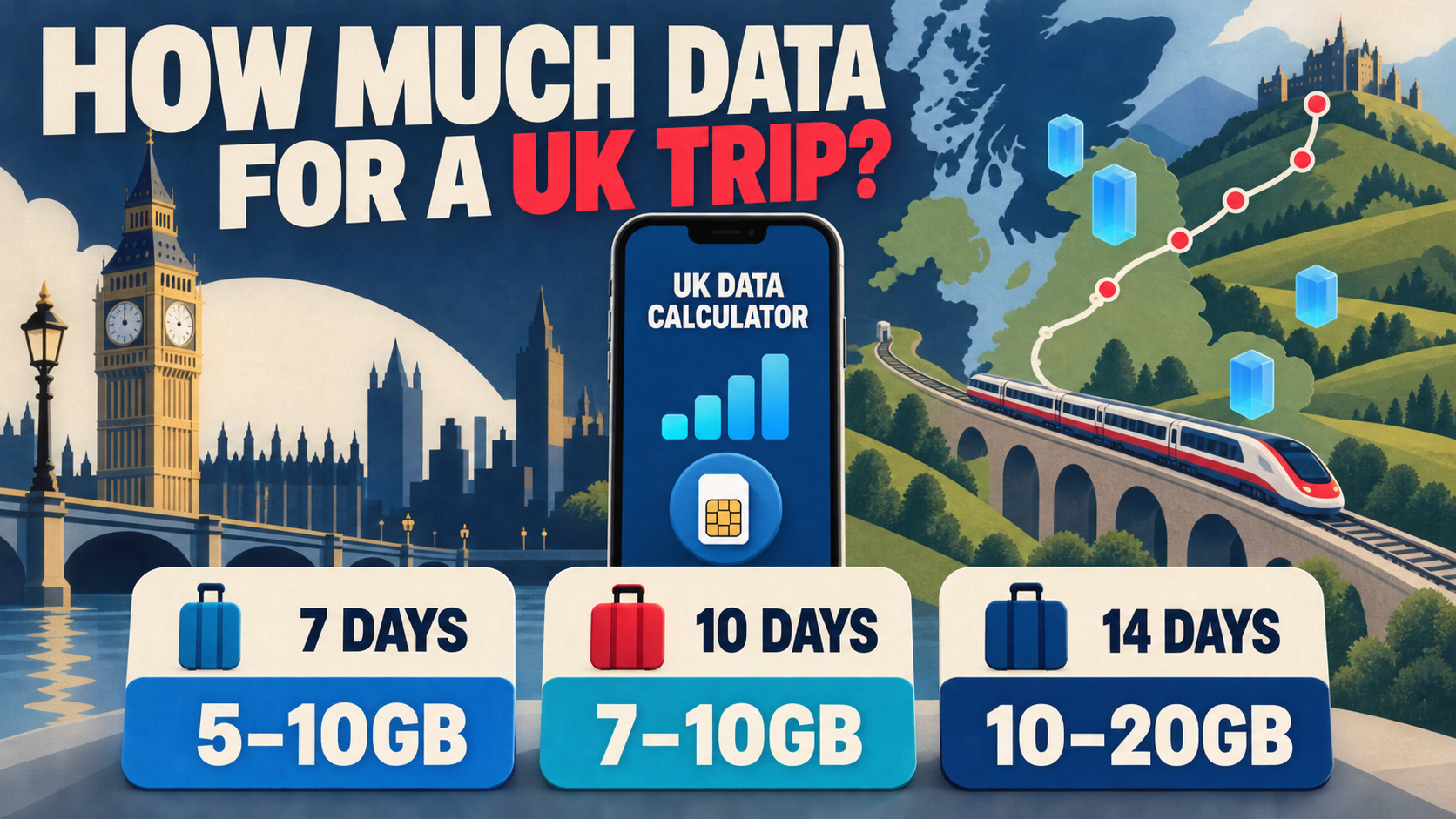
How much data do you need for a UK trip? For a typical holiday, start with 3–5GB for five days, 5–10GB for seven days, 7–10GB for 10 days, or 10–20GB for two weeks. These ranges assume daily maps, messages, travel searches, social media and some short video, with long streaming sessions and large backups kept on Wi-Fi.
How much data do you need for a UK trip?
| Trip length | Light use | Regular tourist use | Heavy use |
|---|---|---|---|
| 3 days | 500MB–1GB | 2–3GB | 5GB+ |
| 5 days | 1–2GB | 3–5GB | 10GB+ |
| 7 days | 1–3GB | 5–10GB | 15–20GB+ |
| 10 days | 2–3GB | 7–10GB | 20–30GB+ |
| 14 days | 3–5GB | 10–20GB | 30–50GB+ |
| 30 days | 5–10GB | 20–50GB | Daily or Unlimited may fit better |
Light use means maps, messages, email and bookings with reliable Wi-Fi for video and uploads. Regular use adds social feeds, photo sharing and occasional clips. Heavy use includes frequent video, video calls, original-quality uploads, laptop hotspot use or several connected devices.
UK travel data calculator
Choose how you expect to use mobile data. The estimate adds a 15% margin and suggests a plan structure to compare—it does not predict exact consumption.
Method: (base use + video + hotspot) × Wi-Fi factor × trip days × 1.15 safety margin. The result is rounded up to the nearest 0.1GB.
What uses the most mobile data while travelling in the UK?
Video quality, video meetings, cloud uploads and hotspot use can change your total far more than maps or text messages. One hour of HD video may consume more data than several days of basic navigation and messaging.

| Activity | Planning impact | What changes it |
|---|---|---|
| Maps, rail searches and local transport apps | Low to medium | Place photos, live traffic and repeated route refreshes |
| Messaging, email and web searches | Low | Attachments, voice notes, video and automatic downloads |
| Music streaming | Low to medium | Spotify lists about 96Kbps at normal quality and 160Kbps at high quality |
| Social feeds and short video | Medium to high | Autoplay, video length and upload quality |
| Netflix or similar video | High | Netflix lists up to 0.3GB/hour at low, 0.7GB at medium and 3GB at HD |
| Video calls | High and variable | Zoom’s bandwidth guidance rises substantially with HD and group calls |
| Hotspot and laptop use | Highly variable | Cloud sync, operating-system updates and large work files |
These figures are not UK-wide usage averages. They are reference points that explain why two travellers on the same itinerary can need very different allowances.
Check your own phone before trusting a generic estimate
Your recent data history is the best starting point. On iPhone, open Settings > Cellular or Settings > Mobile Data to view usage by app. Android labels vary by manufacturer, but the data-usage screen is normally under Network & internet, Connections or the SIM settings.
Look at a normal seven-day period, remove activity that will stay on Wi-Fi, then add a buffer for navigation, photo sharing and unfamiliar travel apps. This produces a more personal estimate than any universal chart.
How much data do you need for 7 days in the UK?
For a one-week UK trip, 5GB is usually enough for regular travel use when long video sessions and backups stay on Wi-Fi. Choose closer to 10GB if you post photos daily, watch short video while sightseeing or want more room for changes in your itinerary.
- 1–3GB: maps, messages, bookings and light browsing with good Wi-Fi habits.
- 5GB: a sensible target for an ordinary city break or multi-city week.
- 10GB: more forgiving for social media, uploads and occasional streaming.
- 15–20GB or a daily plan: frequent video, calls, hotspot use or several devices.
Five gigabytes is not a guarantee. A few hours of HD video or an automatic photo backup can consume a large share of it.
Is 10GB enough for 10 days in the UK?
Ten gigabytes is enough for many 10-day UK trips. It averages roughly 1GB per day, which is comfortable for maps, messages, restaurant and rail searches, social feeds, photo sharing and limited video. It becomes tight when mobile data replaces hotel Wi-Fi for entertainment or work.
Choose more than 10GB if you expect daily video meetings, regular laptop tethering, original-quality cloud uploads or several hours of streaming. If your use is steady from day to day, a 2GB/day or 3GB/day structure may be easier to manage than one shared pool.
Is 10GB enough for two weeks in the UK?
Ten gigabytes can cover two weeks for a Wi-Fi-led traveller, but 10–20GB is the safer planning range for regular use. At 10GB, the average is about 714MB per day. That is workable for travel apps and moderate sharing, but it leaves less margin for delays, long train journeys, video or hotspot use.
- Choose 3–5GB only if your mobile use is deliberately light.
- Choose 10GB when Wi-Fi handles most video, downloads and backups.
- Choose 20GB for a more relaxed allowance with daily social use and occasional streaming.
- Compare 30–50GB, Daily or Unlimited for remote work, frequent calls or hotspot use.

UK travel situations that can increase your data use
The country does not make an app inherently consume more data, but the way you travel can change how often you use it.
Multi-city rail travel
Checking live departures, platform changes, digital tickets and last-minute routes throughout the day adds more mobile activity than staying in one neighbourhood. The increase is normally manageable, but it makes an extremely small allowance less comfortable.
Road trips and rural routes
Download map areas before driving through the Highlands, Wales or other less familiar routes. Google Maps supports offline areas, although offline mode does not provide every live feature or every transport mode. More data also cannot create coverage where the local signal is weak, so check locations with Ofcom’s mobile coverage tool when connectivity is important.
Long train journeys and airport waits
Streaming during a two- or four-hour journey can dominate the day’s consumption. Download shows, playlists and podcasts on Wi-Fi before leaving your hotel when possible.
Hotspot work
A laptop may sync cloud folders, download updates or load desktop versions of websites without making the activity obvious. If you plan to work from trains or cafés, treat hotspot use as a separate budget rather than folding it into “normal phone use.”
Choose a UK data allowance that matches your travel pattern
The useful question is not only how many gigabytes you need. It is also how the allowance behaves when one day is much heavier than another. If your phone supports eSIM, a digital travel plan can be installed without replacing your physical SIM; after calculating your likely use, compare UK eSIM data options by validity, speed rules and hotspot support.
Total data
A single allowance is shared across the whole trip.
- Useful when busy and quiet days vary.
- Easy to compare with the calculator’s total.
- Check what happens when the allowance runs out.
Daily data
A new high-speed allowance becomes available each day.
- Useful when daily use is fairly steady.
- Unused data may not roll over.
- Check the reset time and reduced-speed policy.
Unlimited-style data
Access continues, but full-speed use may be subject to a daily threshold or fair-use rule.
- Useful when avoiding a hard data stop matters.
- “Unlimited” does not always mean unlimited full speed.
- Read the speed and hotspot terms before purchase.

Which UK data allowance fits your trip?
The same trip length can lead to different choices. Use the itinerary first, then the gigabyte estimate and plan structure.
London city break for 3–5 days
Maps, bookings and attraction searches are usually predictable. Use the regular-use column in the table, then move up only if mobile video or frequent uploads are part of the trip.
Seven-day England or Scotland rail trip
Live departures, digital tickets and station navigation add regular background use. Choose the upper end of your calculated range if long train journeys are also streaming time.
Ten-day multi-city itinerary
Route changes and daily photo sharing matter more than the number of cities alone. A shared total suits uneven days; a daily allowance is easier to monitor when use stays consistent.
Two-week road trip
Download offline maps before leaving reliable Wi-Fi, but keep mobile data available for live traffic and route changes. Add extra margin if passengers will stream during long drives.
Remote work or frequent hotspot use
Enter hotspot use separately in the calculator. Work calls, cloud sync and laptop updates can outweigh ordinary phone activity, so check both the high-speed allowance and any reduced-speed rule.
Couple, family or several devices
Estimate each person’s use. A shared hotspot can work when everyone stays together, but separate plans are more practical when people split up or need independent navigation.
Seven ways to make your UK travel data last longer
- Download offline map areas before long routes. Keep live data available for traffic, public transport and updated directions.
- Pause cellular photo and video backups. Original-quality uploads can quietly use several gigabytes.
- Lower video quality on mobile data. The difference between medium and HD is substantial.
- Download music and shows on Wi-Fi. This is especially useful before trains and flights.
- Disable app and operating-system updates over mobile data. Let large downloads wait for trusted Wi-Fi.
- Check every device on your hotspot. A connected laptop or tablet may start background sync.
- Review usage after your first full day. Multiply that figure by the days remaining and adjust early.
Frequently asked questions
Is 5GB enough for a week in the UK?
Yes, for many travellers who use mobile data for maps, messages, bookings, browsing and moderate social media while keeping long video sessions and backups on Wi-Fi. Choose 10GB for more daily video, uploads or extra margin.
Is 10GB enough for 10 days in the UK?
Usually, yes. Ten gigabytes gives an average of about 1GB per day. It can become tight with frequent streaming, video meetings, cloud backups or laptop hotspot use.
Is 10GB enough for two weeks in the UK?
It can be enough for a Wi-Fi-led trip, but 10–20GB is a more forgiving range for daily maps, social media, photo sharing and occasional video.
How much data does Google Maps use in the UK?
There is no single reliable amount because route length, place photos, live traffic and repeated searches all matter. Navigation is usually lighter than video streaming, but downloading offline areas can reduce mobile use. Keep some live data for updated routes and features that are unavailable offline.
Is 1GB per day enough for a UK trip?
It is a useful starting point for maps, messages, bookings, social feeds and moderate photo sharing. It may be too little if you stream long-form video, join video calls, upload original-quality media or use a laptop hotspot.
How can I check how much mobile data I normally use?
Check usage by app in your phone’s mobile-data settings and review a recent seven-day period. Remove activity that will stay on Wi-Fi, then add a margin for navigation, travel apps and photo sharing.
Need mobile data for the UK?
Use your calculator result to compare total-data, daily-reset and continued-access options. Check the validity period, high-speed allowance and hotspot terms before choosing.
Compare UK data optionsHigh-speed data, wherever your journey leads
Enjoy instant, secure mobile data with Ezigo eSIM in 200+ destinations. No physical SIM needed.