Oktoberfest Munich Guide 2026: What First-Time Visitors Need to Know
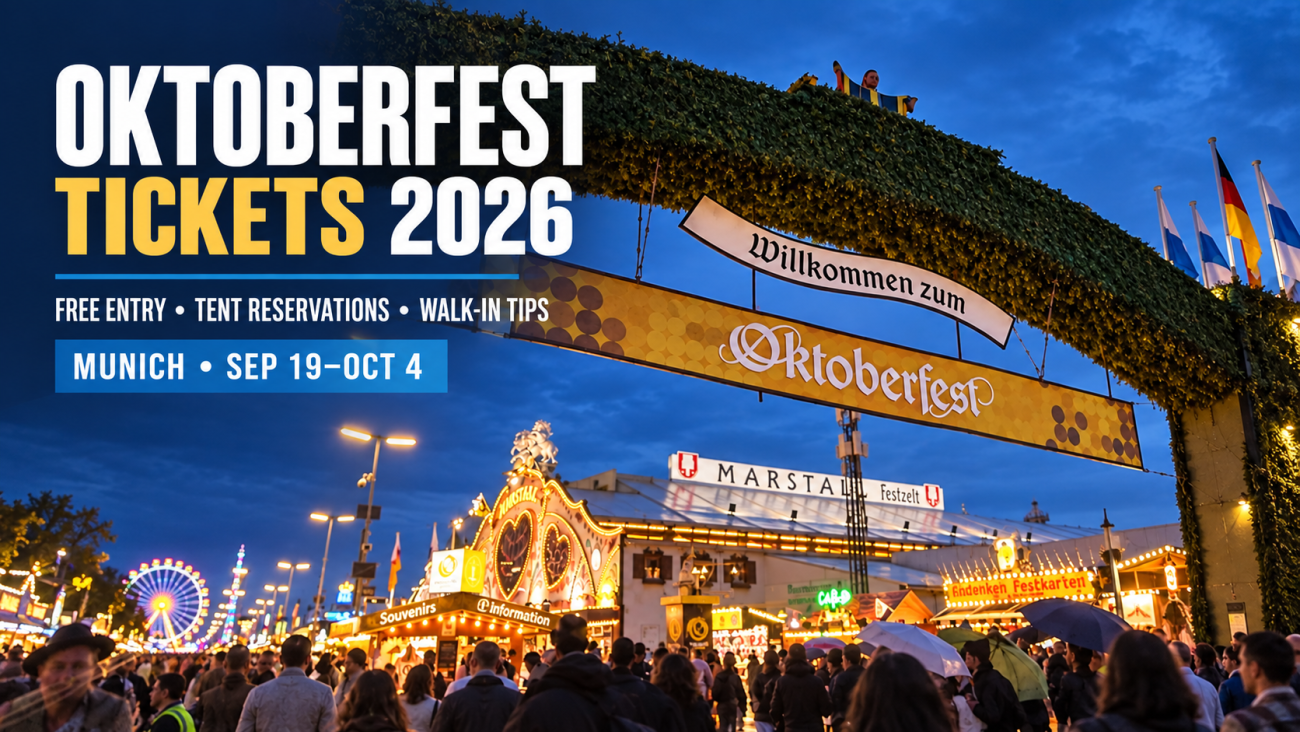
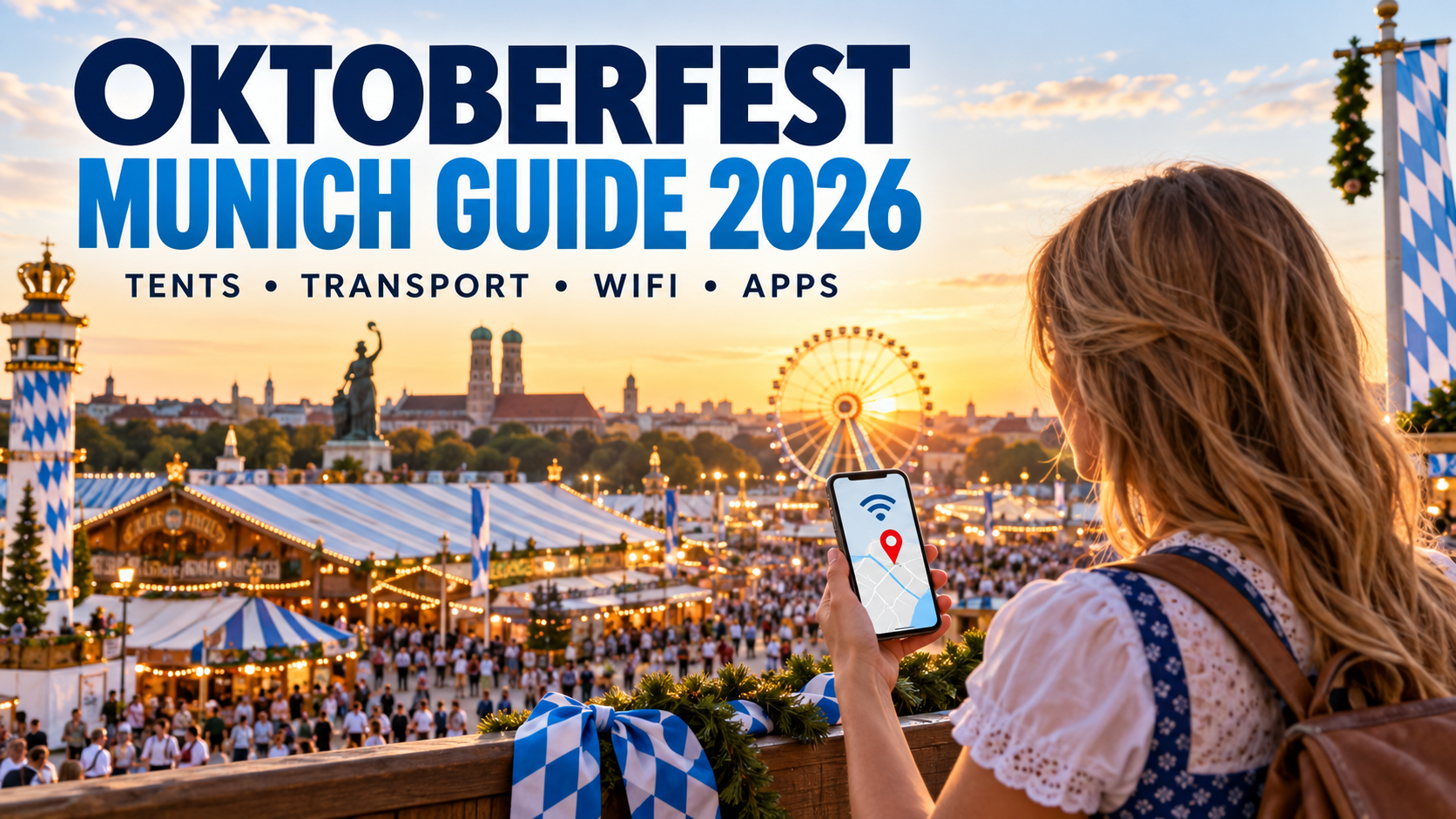
Oktoberfest 2026 runs from September 19 to October 4 at Theresienwiese in Munich. This Oktoberfest Munich guide gives first-time visitors a usable plan: when to arrive, whether a tent reservation is essential, what can fit in your bag, which apps to prepare, how much cash and mobile data to carry, and what to do when a crowded network slows down.
The short version: entry to the main festival grounds and beer tents is free, but a free seat is not guaranteed. Use public transport, travel with a very small bag, save your route and meeting point offline, and arrange mobile data before the day if you do not want to depend on venue Wi-Fi.
Oktoberfest 2026 at a glance
| Question | Practical answer |
|---|---|
| When is Oktoberfest 2026? | Saturday, September 19 to Sunday, October 4, 2026 |
| Where is it? | Theresienwiese, Munich |
| Is admission free? | The main grounds and marquees are free; the Oide Wiesn has a separate €4 adult admission fee in 2026 |
| Do I need a tent reservation? | No, but evenings, weekends and holidays can fill early; groups should reserve if possible |
| What bag is allowed? | Up to 3 litres and no larger than 20 × 15 × 10 cm |
| Best way to arrive? | U-Bahn, S-Bahn or walking; there is no visitor parking directly at Theresienwiese |
| How much is a litre of beer? | €14.80–€15.90 in 2026, depending on the tent |
| Is there guaranteed Wi-Fi? | Do not plan around venue-wide public Wi-Fi; prepare mobile data and offline backups |
What should a first-time visitor plan before Oktoberfest?
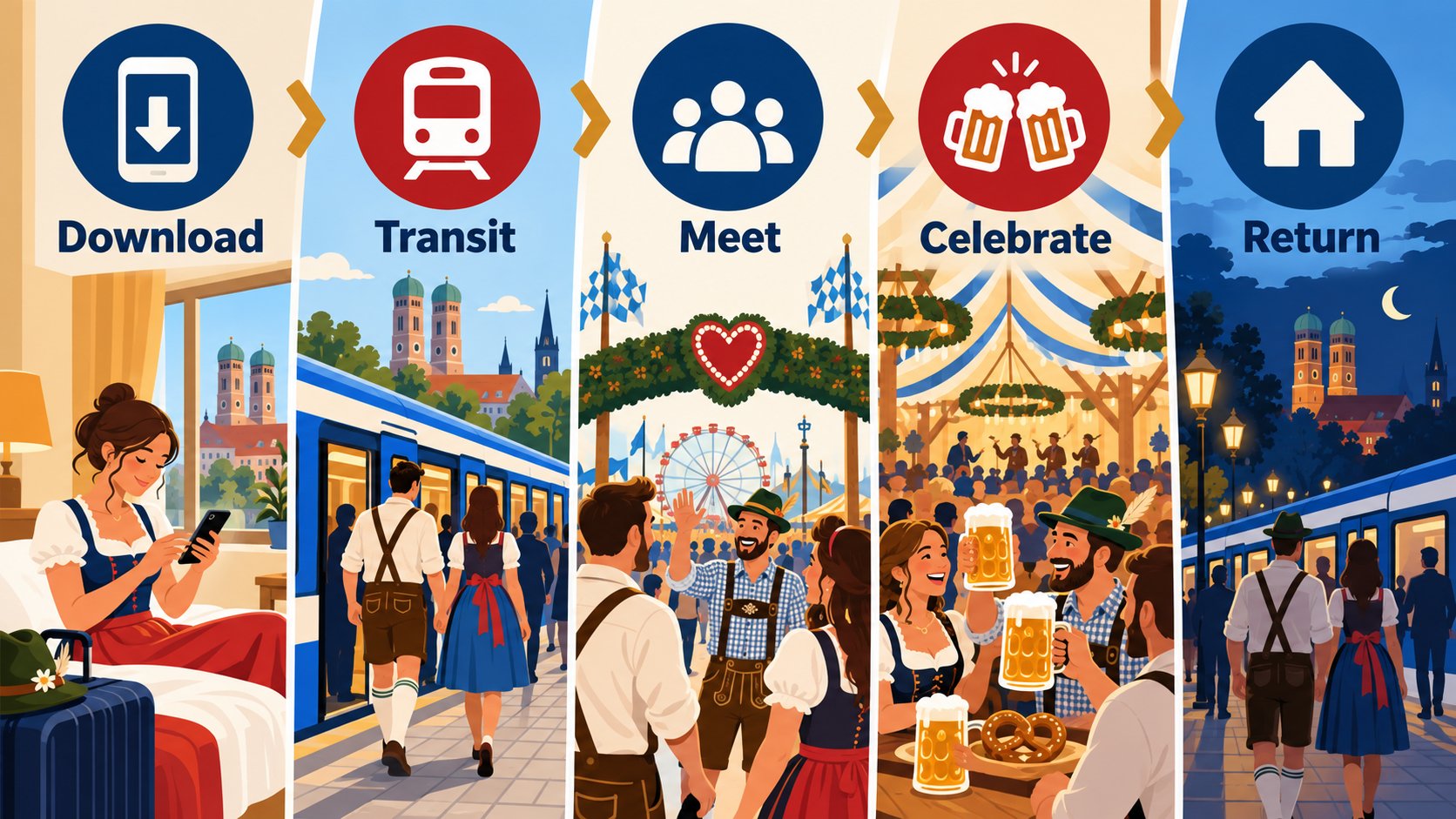
The best Oktoberfest first-timer plan is less about memorizing every tent and more about removing five points of friction before leaving the hotel:
- Download the site map and save your transport route.
- Choose a primary and backup meeting point.
- Confirm the reservation, tent entrance and arrival time.
- Pack only what fits the bag limit, plus payment and battery backups.
- Install and test your travel eSIM or roaming setup before the festival day.
Save the essentials offline
Crowded-event connectivity can be inconsistent even when local operators add capacity. Before you go, save:
- your hotel address and a screenshot of the route back;
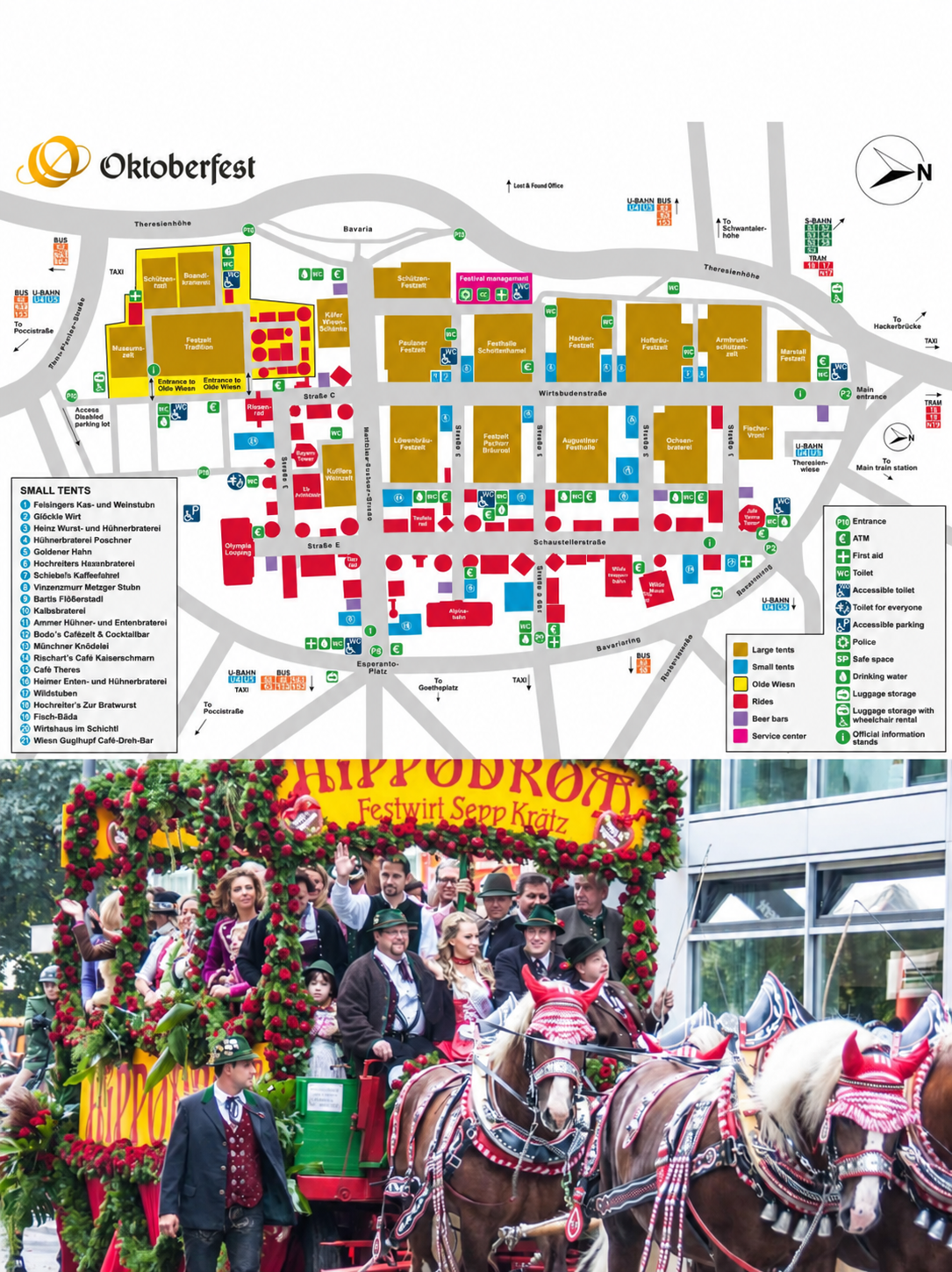
- the official Oktoberfest site map;
- your tent name, reservation time and entrance details;
- public-transport tickets or booking references that can be shown offline;
- one emergency contact and your group’s meeting point.
How to meet your group at Oktoberfest
Agree on this before entering the grounds:
- Name the tent, entrance and approximate time—not just “inside Oktoberfest”.
- Choose a backup point away from the busiest main route, such as a named U-Bahn exit or a fixed landmark.
- Send the map screenshot and meeting plan to every person in the group.
- Message the group before leaving a tent, because a reservation changeover or capacity control may prevent re-entry.
- Set a return time and hotel route in case someone’s battery or connection fails.
Dates, opening hours and the least stressful times to visit
The official 2026 opening-hours page lists these general site hours:
- Monday–Thursday: 10:00 a.m.–11:30 p.m.
- Friday: 10:00 a.m.–midnight
- Saturday: 9:00 a.m.–midnight
- Sunday: 9:00 a.m.–11:30 p.m.
On opening day, tents open at 9:00 a.m., non-alcoholic drinks and small dishes begin at 10:00 a.m., and the first barrel is tapped at noon in the Schottenhamel tent. Large tents usually stop serving beer and playing music at 10:30 p.m.; Käfer Wiesn-Schänke and Kuffler’s Weinzelt are exceptions with later closing times.
If you care more about sitting comfortably than seeing the busiest evening atmosphere, arrive on a weekday and earlier in the day. The official visitor barometer is more useful than a generic “best day” recommendation because it shows expected crowd pressure by date. Reservation changeovers around late afternoon can also make tent entrances difficult.
Do you need a beer-tent reservation?
You do not need a reservation merely to enter Oktoberfest, and tents retain unreserved seating. The practical issue is timing: on busy evenings, weekends and the October 3 public holiday, a tent can temporarily close when it reaches capacity.
Use this rule of thumb:
| Your situation | Better approach |
|---|---|
| One or two people, weekday daytime | Arrive early and look for unreserved seating |
| Small group, flexible about tents | Go before the busiest period and keep two tent options |
| Large group or fixed evening plan | Reserve through the tent’s official channel |
| Weekend with no reservation | Arrive in the morning; do not assume you can enter later |
Reservations are handled by individual tents. Start from the official Oktoberfest reservation guide and avoid unofficial sellers that cannot show a legitimate reservation transfer.
Save your reservation information before entering
Before leaving your hotel:
- Open the confirmation email and save a screenshot or offline copy.
- Record the tent name, reservation date, time and entrance.
- Save the reservation number, QR code or voucher details if provided.
- Check whether the booking includes vouchers, minimum consumption or wristbands.
- Send the same information to at least one other person in the group.
If you leave a crowded tent without a reservation wristband, you may not be readmitted. Take your valuables with you and agree on a new meeting point before anyone steps outside.
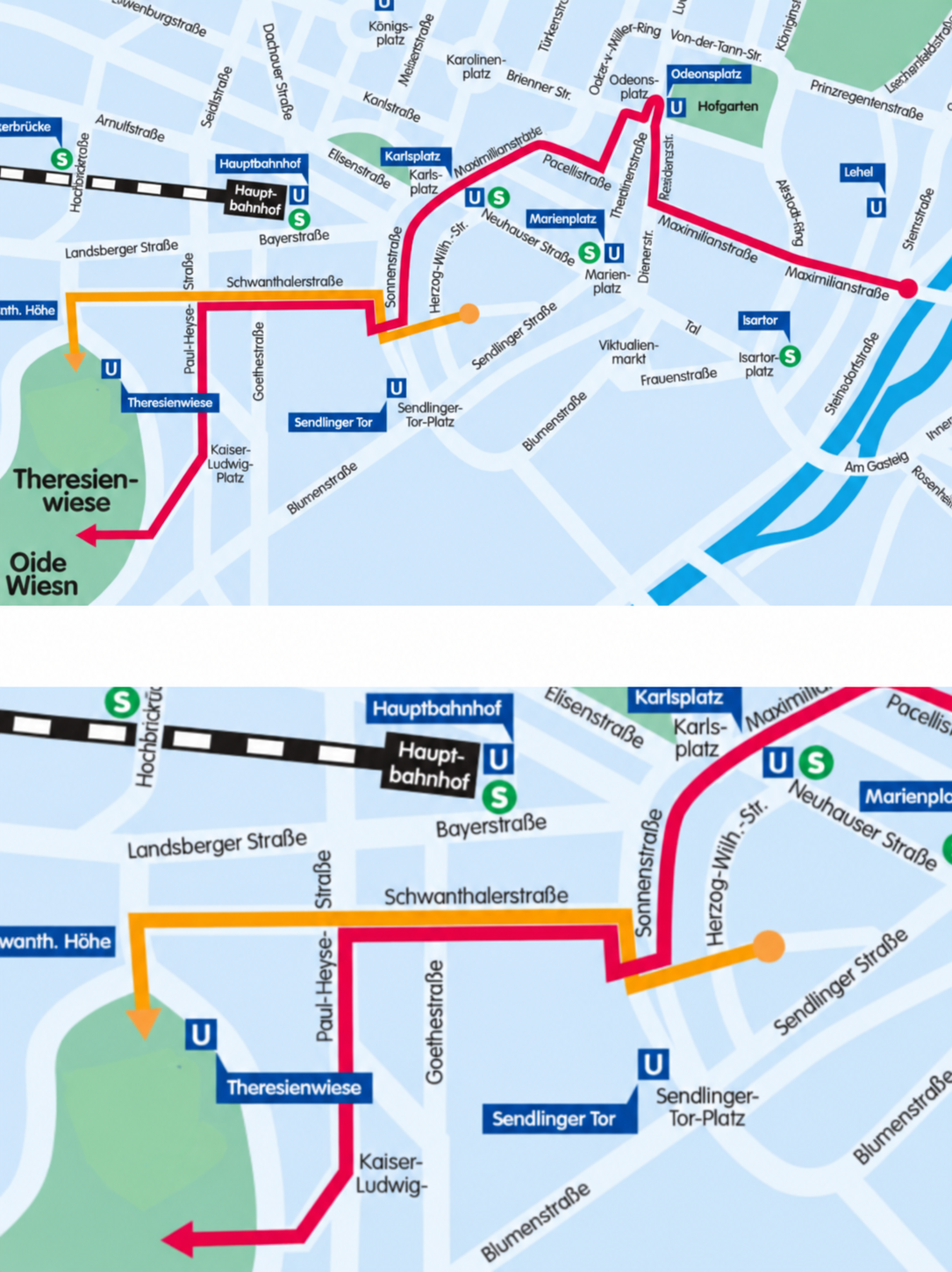
Getting to Theresienwiese without relying on one station
Public transport is the simplest option. Theresienwiese station on the U4/U5 is the most obvious stop, but it becomes very busy, especially at night and on weekends. Depending on where you start, alternative approaches can be easier:
- Hauptbahnhof: walk from Munich Central Station to the main entrance.
- Hackerbrücke: follow the signed walking route to the grounds.
- Goetheplatz or Poccistraße: useful U3/U6 alternatives when the U4/U5 corridor is crowded.
- Schwanthalerhöhe: another U4/U5 approach to the western side.
The City of Munich’s official transport guide recommends U-Bahn, S-Bahn or walking and notes that there is no visitor parking directly at Theresienwiese. The MVGO app provides Munich public-transport planning, tickets and live information. Use DB Navigator if your day includes intercity or regional rail.
Download apps and sign in before the trip. A station platform with thousands of other visitors is a poor place to create an account, retrieve a password or update payment details.
Transport checklist
- Check the route in MVGO before leaving the hotel.
- Save the departure station, arrival station and an alternative approach.
- Take a screenshot of the route in case the app is slow underground or inside a crowded area.
- Before leaving the festival, check the return route and the last practical connection.
Phone, apps and mobile data: what actually matters at Oktoberfest
Your phone has four important jobs at the Wiesn: navigation, group coordination, payment backup and the return journey. The apps you need depend on the trip, but a lean setup is usually better than a folder full of festival apps:
- MVGO for Munich transport and live departures;
- DB Navigator for journeys to or from other German cities;
- Google Maps or Apple Maps with Munich saved offline;
- WhatsApp, iMessage or your usual messenger for your group;
- your bank’s app and a ride-hailing app as backups, not your only plan;
- the official Oktoberfest map saved as a browser bookmark or screenshot.
Why full signal can still mean slow data
Signal bars show that your phone can reach a network; they do not show how much capacity is available for data. At a crowded Oktoberfest tent, the phone may still display a strong signal while maps, photos or messages take longer to load because many devices are sharing the same local capacity.
Operators add temporary capacity for the festival, but that does not guarantee the same speed in every tent or at every peak hour. Treat the following as practical backups:
- Save the map, hotel route and reservation details offline.
- Send short text messages if photos or voice notes remain unsent.
- Move toward an entrance or outside area if the indoor signal is weak.
- Keep automatic network selection enabled unless your provider gives different instructions.
- Prepare mobile data before the festival instead of waiting until the network is crowded.
If your day depends on finding a tent, contacting your group or checking public transport, compare the Ezigo Germany eSIM plans before departure. Install the profile on stable Wi-Fi, then use it for maps, messaging and transport updates after connecting in Germany. It is a data-only option, so your normal number can remain available for calls and SMS.
Is there Wi-Fi at Oktoberfest?
Do not treat public Wi-Fi as the backbone of your day. Munich has municipal Wi-Fi hotspots elsewhere in the city, but that is not the same as guaranteed, continuous Wi-Fi inside every Oktoberfest tent and across the entire site. Even when a hotspot is visible, capacity, sign-in and indoor coverage may vary.
Mobile operators build extra infrastructure because demand is unusually high. For 2026, Telefónica Germany says it is adding 21 mobile sites and 51 network elements at Theresienwiese, with equipment inside ten large tents. Its O2 network carried 230,000 GB during the 2025 event. That investment improves capacity; it does not guarantee identical speed in every tent or at every peak moment.
Practical response: keep automatic network selection enabled, prepare offline maps, and send short text messages when media uploads stall. If a corner of a tent has weak signal, moving outside or toward an entrance may help because building structure and crowd density affect radio performance.
A real Munich eSIM field check—with limits
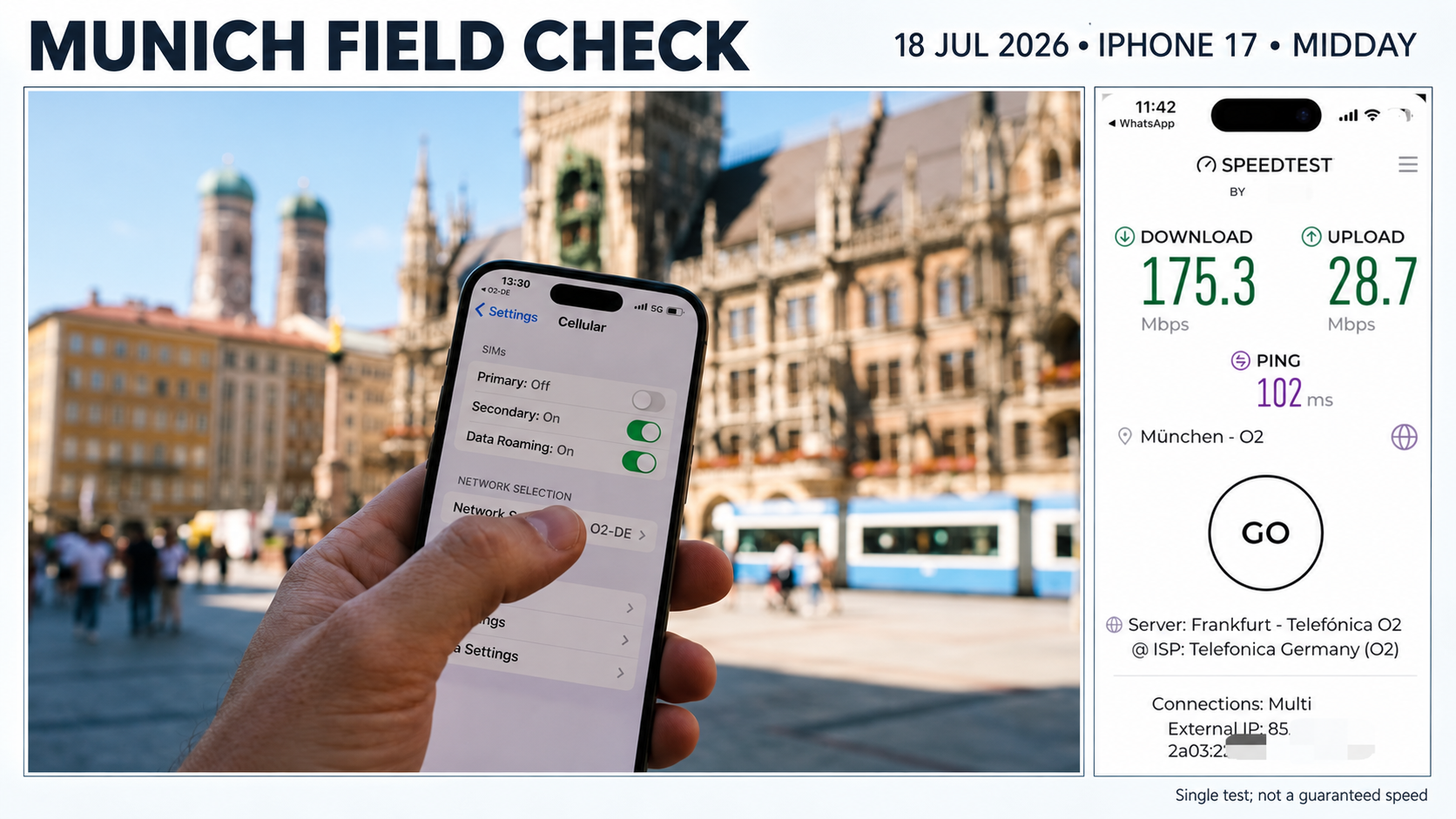
The field check confirms that the supplied profile connected to O2 and delivered usable 5G data in central Munich. It cannot predict performance at Theresienwiese during a packed Saturday evening. Device radio bands, local capacity, network selection, indoor position and congestion all influence results for both local SIMs and travel eSIMs.
Which Germany eSIM plan makes sense for Oktoberfest?
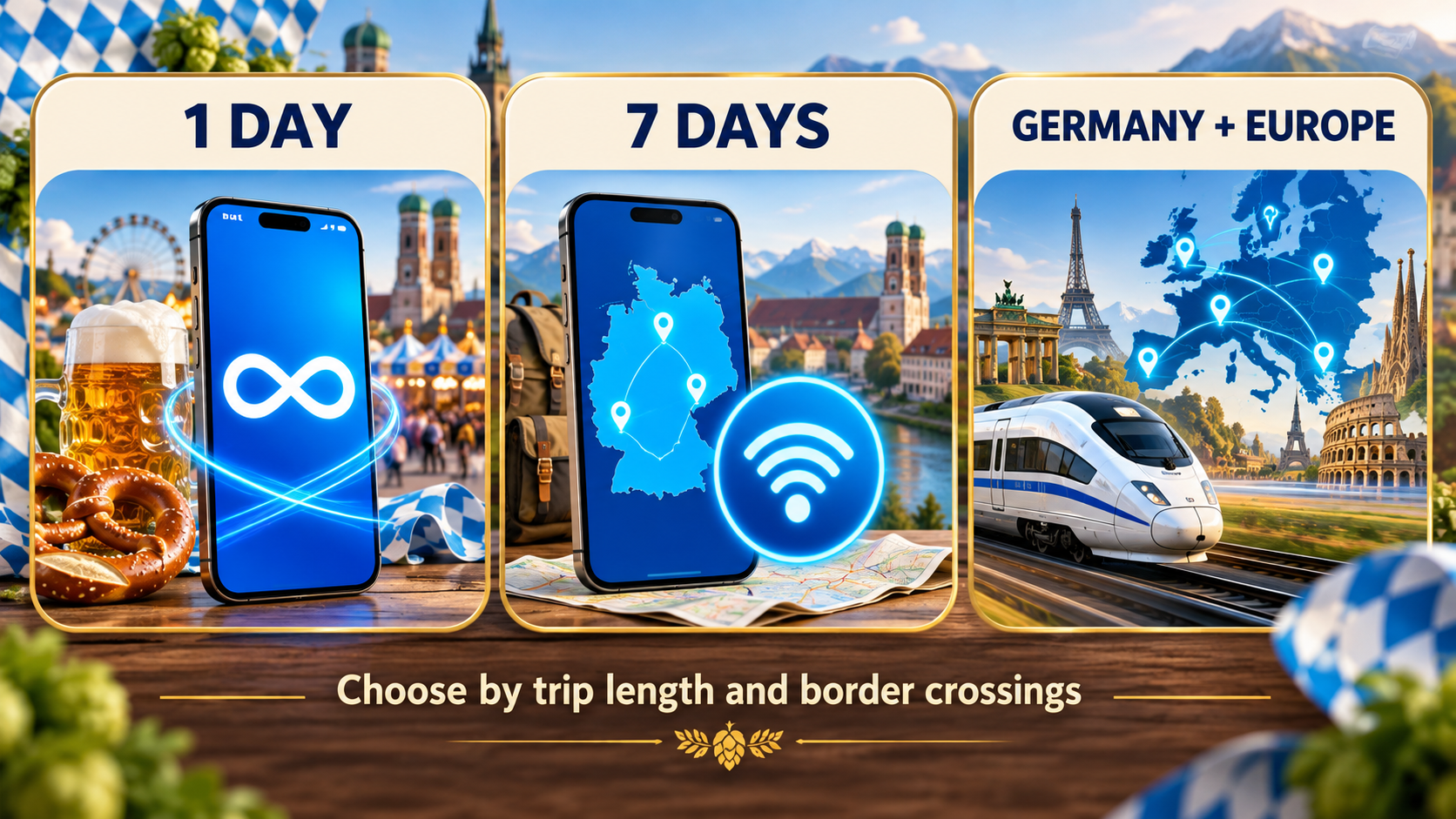
Choose by trip length, expected daily use and whether you will leave Germany. The eSIM is data-only, so ordinary carrier voice and SMS are not included; app-based calls and messages use data.
One festival day: 1-day Unlimited
For a single Oktoberfest day, the 1-day Unlimited Germany eSIM at $3.81 is the simplest choice. Each continuous 24-hour period includes 1GB of full-speed data, followed by data at up to 5Mbps until the next reset. It supports hotspot use and has no lower speed tier after that 5Mbps level.
This is a better fit than trying to predict every map refresh, video upload and group call during a long day. The validity begins when the eSIM first connects to a supported network in Germany, not when you buy or install it.
A Munich week: 7-day Unlimited or a fixed allowance
For a week that includes sightseeing, frequent uploads or hotspot use, 7-day Unlimited at $18.83 offers predictable daily availability. It is also the second-most purchased Germany plan in Ezigo’s supplied store observations, though that is an internal purchasing pattern rather than a market-wide preference.
If your use is mainly maps, messaging and occasional photos, fixed plans can cost less. Current examples include 10GB/30 days at $10.13 and 20GB/30 days at $19.05. Total-data plans stop when the allowance is exhausted, while 2GB/day and 3GB/day plans continue at 384Kbps after the daily full-speed allowance until the next 24-hour reset.
Ezigo’s highest-selling Germany option is currently 20GB/30 days. A reasonable interpretation is that buyers value a comfortable allowance and flexible validity even when they do not expect to remain for 30 days. It does not prove that every visitor needs 20GB.
Germany plus Austria, Czechia or another country: use a regional plan
The Germany eSIM covers Germany only. If Oktoberfest is one stop in a wider trip, use the Europe 40+ areas eSIM instead of assuming the Germany profile will work across the border. The regional product supports 41 listed countries and areas, including Germany, Austria, Switzerland, France, Italy, Czechia, Poland, the Netherlands, Belgium, the United Kingdom and Türkiye.
Some Ezigo customers who extended a Germany itinerary later purchased a Europe plan. Planning for the actual border crossings from the start avoids installing a second profile mid-trip.
All current Germany options are data-only, support hotspot/tethering, use O2 and Vodafone partner networks, and can access 4G/LTE/5G where available. A QR code is emailed after payment; the profile can be installed outside Germany. No manual APN entry is normally required, but data roaming must be enabled for the eSIM line. See the Germany eSIM plans and the installation guide for the current checkout terms and steps.
What to bring—and what to leave at the hotel
The official bag limit is unusually small: 3 litres and no larger than 20 × 15 × 10 cm. Security may check and tag permitted bags. Large luggage can be left at designated storage points for a fee, but capacity is not guaranteed.
Entry-preparation checklist
- Phone, compact power bank and short cable.
- One payment card plus some euro cash.
- ID and reservation confirmation if required by your booking.
- A light layer or rain protection that fits the bag rules.
- Necessary medication in a compact form.
- Offline route, map, reservation and meeting-point screenshots.
Leave behind oversized backpacks, glass bottles and prohibited sharp or hazardous items. Check the official security guidance shortly before your visit because entry rules take priority over any third-party guide.
Cash or card?
Card and mobile payments are becoming more common, but not every transaction should depend on one phone or one terminal. The 2026 official update says roughly half of booths and attractions now offer card payment. Carry cash for vendors or tent situations where cards are not accepted, and keep a physical card as a backup if your phone battery runs low.
For budgeting, the official 2026 beer price is €14.80–€15.90 per litre. Food, rides, transport and tips are extra. Decide a daily spending ceiling before arrival; a packed tent is not the easiest place to review a long list of transactions.
A first-timer checklist for the night before
- Confirm the date, opening time and expected crowd level.
- Verify your tent reservation directly with the tent.
- Download MVGO, DB Navigator if needed, and an offline Munich map.
- Save the official site map, hotel address and group meeting point.
- Install the eSIM on stable Wi-Fi; label the line clearly.
- Keep the primary SIM enabled only if you need its number, and prevent it from using expensive roaming data.
- Select the travel eSIM for mobile data and enable data roaming on that line.
- Charge your phone and power bank.
- Measure your bag; “small backpack” is not precise enough.
- Carry both cash and a physical card.
- Agree on a return time or backup route before anyone starts drinking.
Frequently asked questions
When is Oktoberfest 2026 in Munich?
Oktoberfest 2026 runs from Saturday, September 19 through Sunday, October 4 at Theresienwiese in Munich.
Is Oktoberfest free to enter?
Entry to the main festival grounds and beer tents is free. Rides, food and drinks cost extra. The historic Oide Wiesn charges €4 for adults in 2026; children up to 14 enter that section free.
Can I enter a beer tent without a reservation?
Yes. Tents keep some seats unreserved, but popular periods can fill early and doors may close temporarily. Arrive early, especially on weekends, evenings and the October 3 public holiday.
Is there Wi-Fi at Oktoberfest?
Do not assume there will be reliable venue-wide Wi-Fi in every tent. Save essential information offline and use a roaming plan, local SIM or travel eSIM for mobile data. Event congestion can still affect speed.
Why can I have full signal but slow data at Oktoberfest?
Signal bars show that your phone can reach a network, but they do not show how much capacity is available. Crowd density, indoor structures and peak-hour congestion can slow maps, messages and uploads.
How much mobile data do I need for Oktoberfest?
Maps, messaging and occasional photo sharing can fit within a modest allowance. Frequent video uploads, live streaming, video calls or hotspot use are harder to predict, so a one-day or seven-day unlimited-style plan provides more headroom. Remember that Ezigo Unlimited includes 1GB full-speed per 24 hours, then up to 5Mbps until reset.
Will a Germany eSIM work in Austria after Oktoberfest?
No. The Ezigo Germany eSIM is Germany-only. Choose the Europe 40+ areas product if your itinerary includes Austria or another supported destination.
Can I install an Ezigo Germany eSIM before flying?
Yes. Install it on stable Wi-Fi before departure, but leave it off until needed. Validity starts when it first connects to a supported German network. Data roaming must be enabled on the eSIM line.
Final recommendation
The best Oktoberfest plan is deliberately redundant: public transport plus an alternate station, mobile data plus offline screenshots, card plus cash, and a group chat plus a fixed meeting point. Those small backups matter more than downloading every travel app.
For Germany-only travel, compare the Ezigo Germany eSIM by trip length and usage. For a cross-border itinerary, start with the Europe 40+ areas eSIM so the coverage matches the journey.
Sources and methodology
- Official Oktoberfest 2026 overview — City of Munich
- Official opening hours — Oktoberfest.de
- Official visitor FAQ and reservation guidance — Oktoberfest.de
- Official security and bag rules — Oktoberfest.de
- Official transport guide — City of Munich
- Official 2026 beer prices — Oktoberfest.de
- 2026 Oktoberfest mobile-network build — Telefónica Germany
- Ezigo plan terms, anonymized purchase observations and one Munich field test supplied by Ezigo. Prices and product terms can change; verify them on the linked product page before purchase.
High-speed data, wherever your journey leads
Enjoy instant, secure mobile data with Ezigo eSIM in 200+ destinations. No physical SIM needed.