Buy, install, and activate with confidence
How to get an eSIM in Italy starts with four checks: your phone must be unlocked and eSIM-compatible, you need to choose a data plan, install it over Wi-Fi, and select it for mobile data after arrival. For Ezigo eSIM for Italy, the service period starts when the eSIM first connects to an Italian local network.
How to Get an eSIM in Italy: What You Need Before Buying
Most setup problems can be avoided before payment. Check these four items first.
An unlocked, eSIM-compatible phone
Your phone needs eSIM support and permission to use another carrier. Recent iPhone, Samsung Galaxy, and Google Pixel models commonly include eSIM functionality, but exact support can vary by model, region, and carrier status.
Use the Ezigo device compatibility checker if you are unsure.
A stable Wi-Fi connection
The eSIM profile must download during setup, so install it over stable Wi-Fi. Your home Wi-Fi is usually the simplest option. Do not start installation while relying on an unstable airport connection.
A plan that matches your usage
Choose daily data if you want an allowance that refreshes each day. Choose total data if you prefer a fixed pool for the full validity period.
Ezigo daily plans are 2GB/day or 3GB/day. Total-data plans stop when the included allowance is used.
A safe place for the email
After payment, Ezigo sends the QR code and activation instructions by email. Keep the message accessible, but do not scan the QR code as a test because it can be activated only once.
Ezigo Italy eSIM plans and prices
The tables below organize the Ezigo plan details supplied for this guide. Prices are in USD; check the product page at checkout for the current selection and price.
Daily data plans
| Data plan | 1 day | 3 days | 7 days | 15 days | 30 days | After the daily allowance |
|---|---|---|---|---|---|---|
| 2GB/day | $2.75 | $4.25 | $7.13 | $18.03 | $35.03 | Speed is reduced to 384 kbps until local midnight. |
| 3GB/day | $2.96 | $5.10 | $9.39 | $23.97 | $47.22 | Speed is reduced to 384 kbps until local midnight. |
Total-data plans
| Total data | Validity | Price | When the allowance is used |
|---|---|---|---|
| 1GB total | 7 days | $2.40 | The connection stops; purchase another plan if needed. |
| 3GB total | 15 days | $3.81 | The connection stops; purchase another plan if needed. |
| 3GB total | 30 days | $3.69 | The connection stops; purchase another plan if needed. |
| 5GB total | 30 days | $5.81 | The connection stops; purchase another plan if needed. |
| 10GB total | 30 days | $10.13 | The connection stops; purchase another plan if needed. |
| 20GB total | 30 days | $19.05 | The connection stops; purchase another plan if needed. |
| 30GB total | 50 days | $39.09 | The connection stops; purchase another plan if needed. |
The 3GB/30-day option is priced slightly below the 3GB/15-day option in the supplied plan list, so compare both allowance and validity before choosing.
How to buy an eSIM for Italy online
Choose the data structure
Open the Ezigo Italy eSIM product page and choose daily data or total data based on your travel pattern.
Review the plan rules
Check allowance, validity, price, and what happens after the data is used. Ezigo is a data-only travel eSIM.
Pay and check your inbox
Ezigo sends the QR code and activation instructions immediately after payment. The email may also contain an ICCID and manual activation details.
How to install an Italy eSIM on iPhone
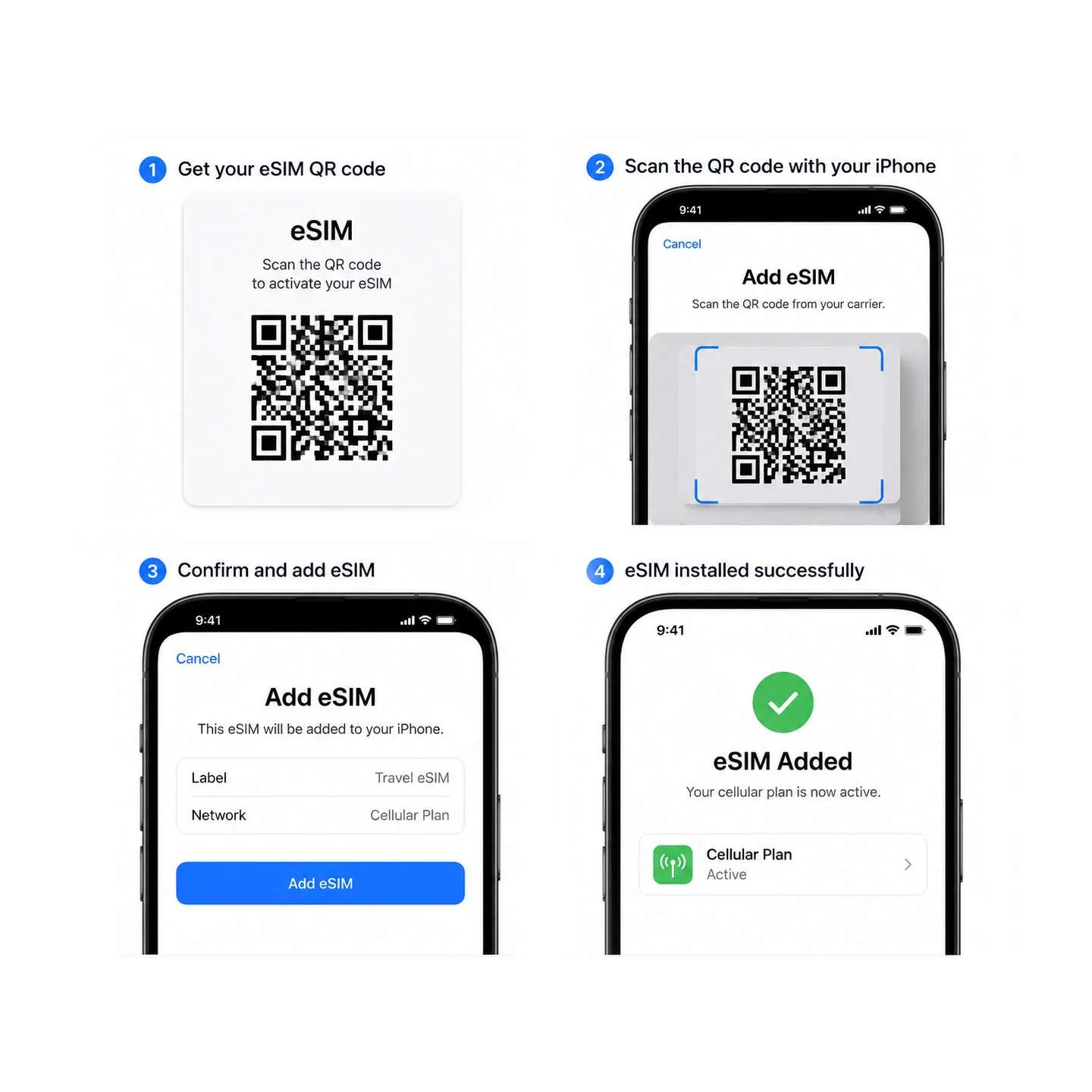
Install the eSIM while connected to Wi-Fi. You can complete the setup before leaving home, which gives you time to resolve a problem before your flight.
Open Cellular settings
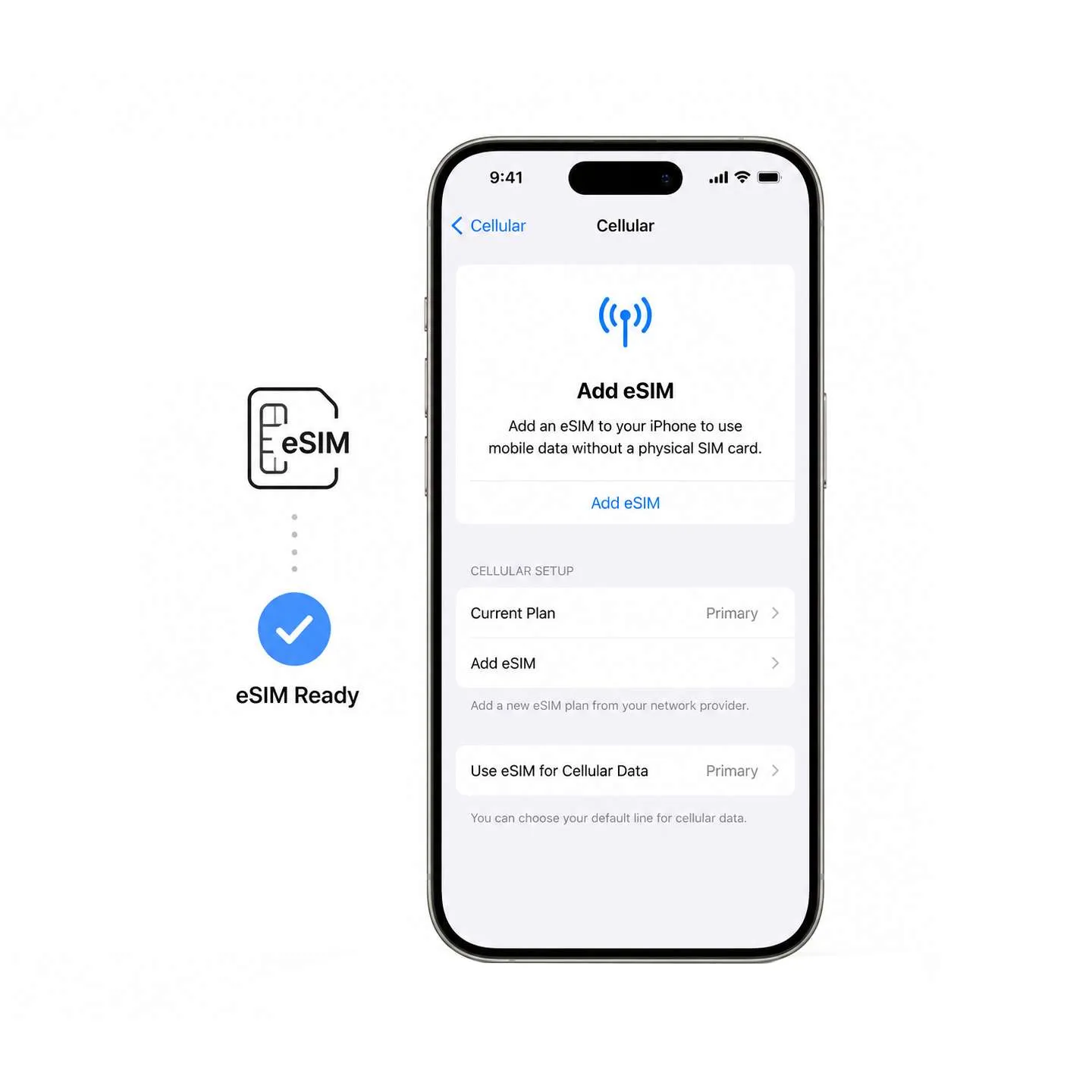
Open Settings > Cellular > Add eSIM. Depending on the iOS version, the wording may appear as Mobile Service.
Scan the Ezigo QR code
Choose the QR-code option and scan the code from the email. Scan it once and wait for the installation prompt to complete.
Confirm and add the plan
Follow the on-screen instructions and label the line clearly, such as Ezigo Italy, so it is easy to identify later.
Keep the email
Do not delete the order email. It contains the plan information and manual activation details that may help if support is needed.
For a broader device walkthrough, follow the eSIM installation guide. Android menu names differ by manufacturer, but the usual path is Settings > Connections > SIM manager > Add eSIM. For Apple’s current iPhone menu names and QR-code options, see the official Apple eSIM setup guide.
How to Get an eSIM in Italy After You Arrive
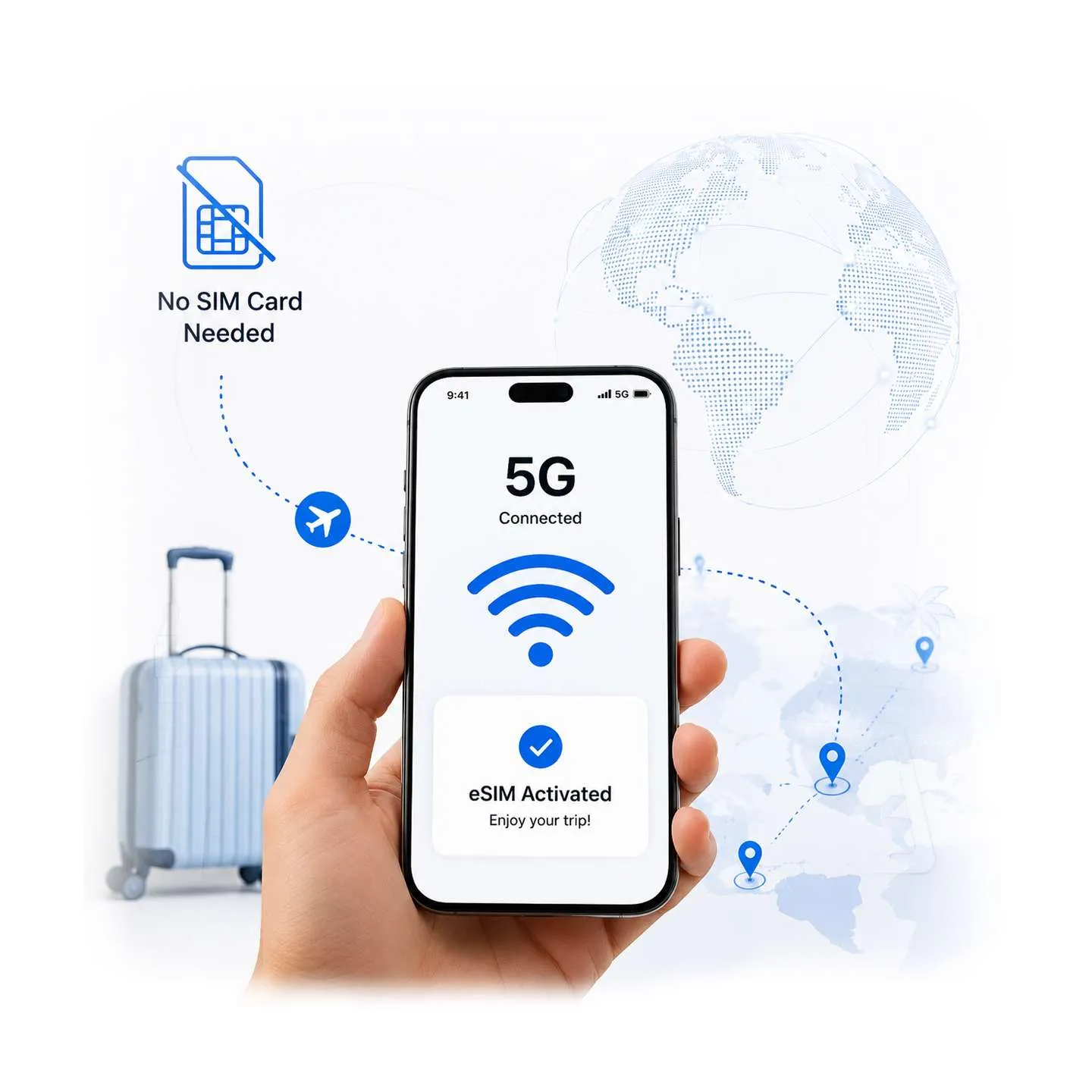
Installing the eSIM and using it in Italy are separate steps. The Ezigo validity period starts when the eSIM first connects to an Italian local network.
- Open Settings > Cellular/Mobile Service.
- Turn on the Ezigo Italy eSIM line.
- Set Cellular Data/Mobile Data to the Ezigo line.
- Turn Data Roaming on for Ezigo.
- Keep Data Roaming off on your primary SIM.
- If shown, keep Allow Cellular Data Switching off to prevent fallback to the primary line.
- Leave network selection on automatic unless support gives you another instruction.
Ezigo eSIM service in Italy can connect through TIM, Iliad, and WindTre, with 4G/5G access where supported by the device and local network. Hotspot is supported, so you can share the connection when your phone and the receiving device allow tethering.
Data Roaming, APN, and validity: what each setting means
Data Roaming
Data Roaming allows the Ezigo travel eSIM to use a partner network outside its home country. Turn it on for the Ezigo line after installation so it can connect to its Italian partner networks.
For the primary SIM, keep Data Roaming off. This separates the travel data connection from your home line and helps reduce the risk of unplanned roaming data charges.
APN
APN stands for Access Point Name. It tells the phone how to connect to mobile data. Ezigo’s APN is matched automatically, so you do not need to select TIM, Iliad, or WindTre manually or enter APN values during normal setup.
Validity start time
The Ezigo service days start when the eSIM first connects to an Italian local network. Receiving the email is not the same as using the plan in Italy, which is why installing the eSIM before departure can be practical.
Common Italy eSIM problems and fixes
| Problem | Check first | Practical fix |
|---|---|---|
| The eSIM is installed but there is no data. | Ezigo line, Cellular Data selection, and Ezigo Data Roaming. | Turn on Ezigo, select it for mobile data, enable Data Roaming for Ezigo, then toggle Airplane Mode or restart the phone. |
| The primary SIM is using data. | Cellular Data selection or Allow Cellular Data Switching. | Select Ezigo for mobile data and keep primary-SIM Data Roaming off. |
| The QR code does not work after a previous scan. | The QR code is single-use. | Do not keep rescanning it. Use the manual activation details when supported, or contact support through the order instructions. |
| The phone is slow after using the daily allowance. | Whether the 2GB/day or 3GB/day allowance has been used. | Speed is reduced to 384 kbps until local midnight; check the next reset time. |
| A total-data plan has stopped. | Whether the full allowance has been consumed. | Total-data plans stop when the allowance runs out; purchase another plan if needed. |
| The phone asks for an APN. | Device-specific setup behavior. | Ezigo normally matches the APN automatically. Do not enter a random carrier APN; contact support if setup does not complete. |
| The eSIM cannot be added. | Wi-Fi, carrier lock, or device compatibility. | Connect to stable Wi-Fi, verify the phone is unlocked, and check the device compatibility page. |
FAQ: getting an eSIM for Italy
Can I buy an Italy eSIM before my trip?
You can purchase the Ezigo plan before departure and receive the QR code and activation instructions by email immediately after payment. Install it over Wi-Fi, then select it for mobile data after the phone connects to an Italian local network.
When does the Ezigo Italy eSIM validity begin?
The validity period begins when the eSIM first connects to an Italian local network. Daily data plans then reset at midnight local time in Italy.
Should Data Roaming be on or off?
Turn Data Roaming on for the Ezigo travel eSIM so it can connect to Italian partner networks. Keep Data Roaming off on your primary SIM to help avoid accidental roaming data use.
Can I scan the QR code more than once?
No. The QR code can be scanned and activated only once. Do not scan it as a test or repeatedly rescan it after installation. Use the manual activation details when supported, or contact support if the profile needs attention.
Does an Italy eSIM work on an iPhone?
It can work on an unlocked, eSIM-compatible iPhone. Check the device compatibility page before purchase because model and regional differences matter.
Do I need to enter an APN manually?
Normally, no. Ezigo automatically matches the APN, so you do not need to choose a carrier manually. Contact support rather than entering an unverified APN.
Can I use the eSIM as a hotspot?
Yes. Ezigo supports hotspot use. The exact sharing controls depend on your phone model and operating system.
How to Get an eSIM in Italy Before Landing
Choose daily or total data based on your itinerary, install over Wi-Fi, and prepare the correct roaming settings before arrival.
Plan note: Prices and plan policies can change. Verify the live Ezigo checkout details before payment.
High-speed data, wherever your journey leads
Enjoy instant, secure mobile data with Ezigo eSIM in 200+ destinations. No physical SIM needed.