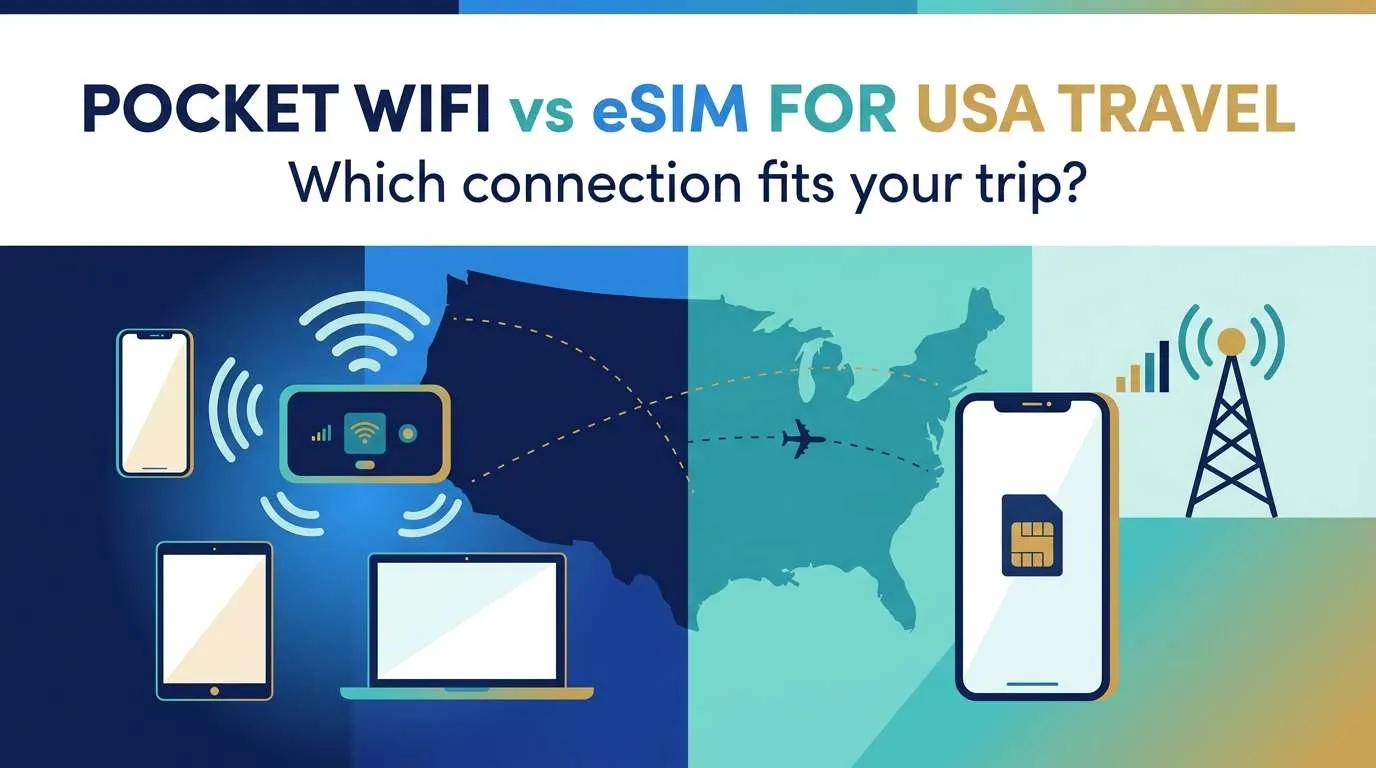
這 美國口袋 WiFi 與 eSIM 比較的核心在於需要連接的裝置數量,以及團體是否會分開行動,而非單純討論哪個「最好」。若只有一台支援且解鎖的手機用於地圖、訊息和訂位,旅遊 eSIM 通常是最簡便的設定。口袋 WiFi 則在多台手機、平板或筆電需要共享網路且成員保持在鄰近距離時更具優勢。無論您傾向哪種方式,在付款前都請務必核實網路分享條款、流量限制機制以及覆蓋範圍。
選擇取決於四個問題:同時需要多少裝置上網?您的團隊會分開行動嗎?連線是用於輕度的手機瀏覽還是筆電級的工作?您的行程是否會前往鄉間道路或國家公園?
更新於 2026 年 10 月 17 日 · 購買前請確認即時價格與條款商業揭露: Ezigo 發布本指南並銷售純數據流量的美國旅遊 eSIM。下方的比較也說明了何時租用或購買口袋 WiFi 會是更合適的選擇。
美國口袋 WiFi 與 eSIM:各選項定義
口袋 WiFi 是一種獨立的電池供電熱點裝置。它接收行動訊號並透過 Wi-Fi 分配網路,讓手機、平板和筆電能使用相同的連線。eSIM 則是將行動數據直接安裝在相容的手機上,雖然有時可以透過手機內建的熱點功能分享網路,但這會產生依賴性,因為手機必須保持在旁、電量充足並啟用網路分享功能。
| 考量因素 | Pocket WiFi | 手機 eSIM |
|---|---|---|
| 定義 | 一種獨立、電池供電的熱點,可建立一個共享 Wi-Fi 網路 | 直接安裝於相容手機上的行動數據方案 |
| 同時連接裝置數量 | 多台手機、平板和筆電(需保持在分享器附近) | 預設為一台手機;若允許網路分享功能,則可增加數量 |
| 美國電話號碼 | 不 | 通常不行(大多數旅遊 eSIM 僅提供數據) |
| 成本結構 | 每日租金加上數據流量、押金與領取/歸還,或者預先購買設備 | 無需押金且無需歸還的一次性數據套餐 |
| 主要故障點 | 電池、續航力與單一共享設備 | 手機電量、手機兼容性以及任何網路共享規則 |
| 最適合 | 保持行動一致且需要多台設備連網的團體 | 擁有一支兼容且解鎖手機的數據優先型旅客 |
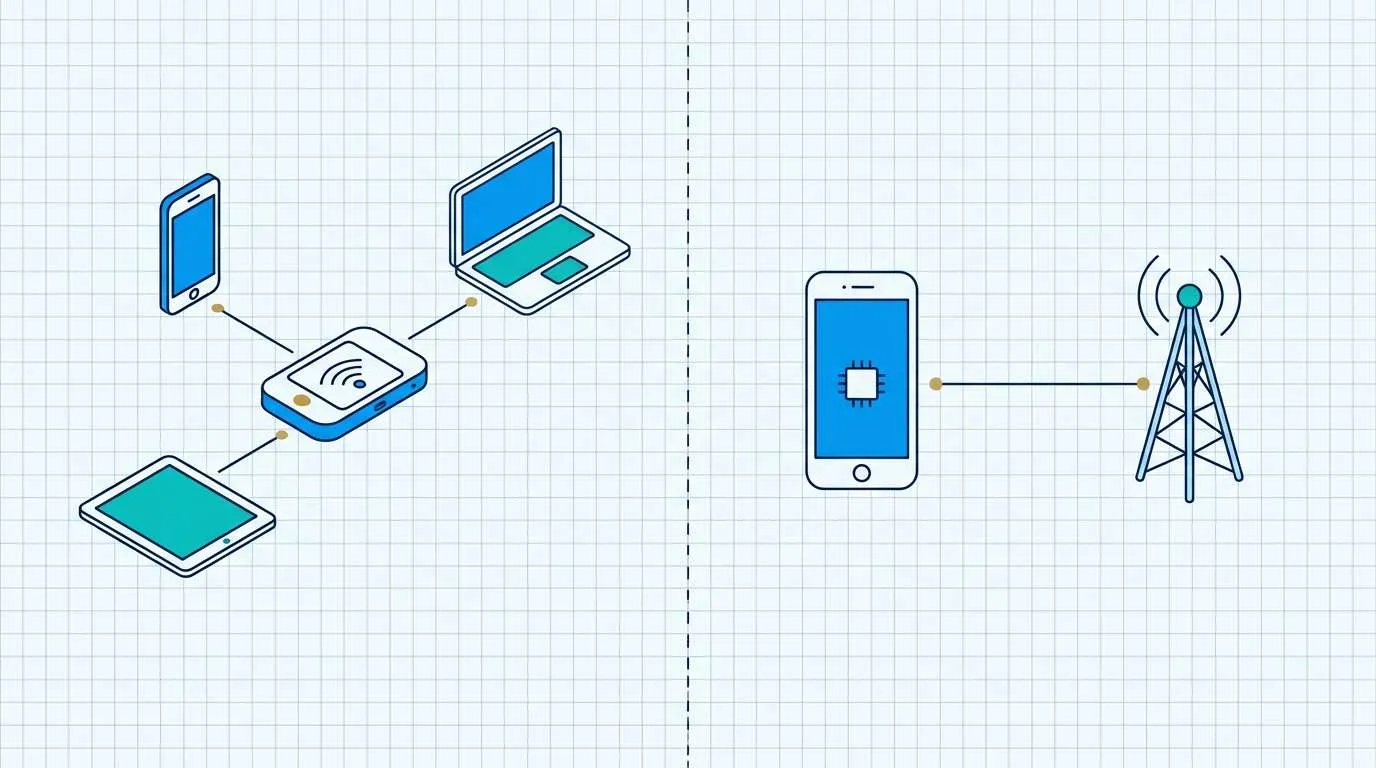
在隨身WiFi與美國eSIM的比較中,這個區別比產品標籤更重要:共享熱點會增加一台需要管理的設備,而eSIM則將連線集中在一部手機上。
隨身WiFi租賃、購買熱點設備與eSIM:成本組成要素
價格會變動,因此請比較成本結構而非單一標題數字。一個 美國隨身WiFi租賃 旅行的定價通常為每日設備費加上數據流量,外加押金與領取或歸還流程。實際成本為旅行天數乘以日租金,再加上任何數據加購以及歸還或逾期費用。
在信任比較表之前,請針對您自己的行程評估以下三種方式:
- 短期、單一國家停留: 租賃的每日費用與歸還任務累加起來比小額數據套餐更快。
- 多次或長期旅行: 購買熱點設備可能比每次旅行都支付每日租金更划算。
- 單支手機、輕度數據使用: eSIM 完全取消了押金、取货和退货。
Compare the failure points before comparing the price
A shared hotspot adds a device to collect, charge and keep within range. If it is left in a hotel room or travels with another part of the group, every connected device loses service. A phone eSIM reduces the number of objects to manage, but it concentrates the connection on one handset and can increase that handset’s battery load if tethering runs for long periods.
The US also has wide variation between urban travel, long highway days and rural stops. Neither form factor guarantees coverage in a particular place. A sensible check is whether the provider identifies the underlying network, describes any high-speed allowance, and states how it handles roaming or areas with weaker service.
Where a traveler is deciding whether to use a phone rather than carry another device, a USA travel eSIM is relevant as a device-level connection method. It does not remove the need to verify handset compatibility, whether it provides a local number, or tethering terms before assuming it can serve a group.
Match the data format to the actual workload
A map check, messaging and occasional ticket lookup create a different load from a laptop video call, cloud backup or a family streaming session. The relevant technical question is whether the plan uses a fixed total allowance, a daily high-speed allowance, a speed-management rule, or some combination of these. Those terms determine when service may slow or stop, not the marketing label attached to the service.
When reviewing USA eSIM data plans, distinguish a total data pool from a daily allowance and verify whether hotspot sharing is permitted for the selected configuration. That is a specification check: it helps determine whether one phone can carry the intended workload, rather than suggesting a particular option for every trip. For a provider-by-provider comparison of eSIM plans, see the separate 美国最佳 eSIM 指南.
Choose by trip pattern
The Pocket WiFi vs eSIM decision comes down to the fewest moving parts that still support the work you expect to do. Use the row that matches the heaviest task on the trip, not the lightest one.
| 行程模式 | Test this setup first | 主要故障點 | Keep offline |
|---|---|---|---|
| One compatible phone for maps and messages | Phone eSIM on the primary handset | Battery, compatibility and any tethering rule | Map area, booking records and hotel address |
| Family or group sharing several devices | Pocket WiFi or a confirmed tethering plan | A shared device leaving with another traveler | Meeting place and contact plan |
| Laptop or tablet work on the move | Tethering permission or a separate hotspot | Phone battery and connection range | Files needed for the day |
| Long stay of several weeks or months | Buying a hotspot or a larger data plan | Daily rental costs outgrowing an up-front purchase | Offline map regions for the trip |
| Time-sensitive work | Primary connection plus a known fallback | 一台设备成为单点故障 | Contacts, documents and local access details |
Then run a small resilience test: what happens if the phone battery is low, the hotspot is separated from the group, or cellular service is weak? A plan that only works under ideal conditions is less useful than one whose limits are understood before the trip starts.
Check whether your phone will work before you choose
Compatibility decides the eSIM side of this comparison, and it is easy to get wrong. Complete these checks before paying for any plan:
- 電信鎖 (Carrier lock): the phone must be unlocked to use a travel eSIM or another provider. On an iPhone, check Settings > General > About for “No SIM Restrictions” next to Carrier Lock.
- eSIM support: confirm the exact model and regional version support eSIM, not just the phone family name.
- Tethering permission: if you plan to use the phone as a hotspot instead of carrying a pocket WiFi, check whether the plan allows it and at what data cost.
- Dual-SIM behavior: if you want to keep a home line active alongside the travel data, verify the model supports the combination you need.
If the phone is locked or not eSIM-compatible, a pocket WiFi becomes more relevant because it does not depend on the handset’s SIM capabilities.
Coverage reality: the form factor does not decide your signal
A pocket WiFi and a phone eSIM both ride on a cellular network, so neither creates coverage where the underlying network has no usable signal. Check the partner network behind either option against your route, overnight stops and any park or rural segment — not against a single city result.
Urban performance does not predict rural roads. If a plan can use more than one US network, automatic network selection can help, but it is not a guarantee. Before a low-signal day, download offline maps and save accommodation, fuel and emergency details.
Set up your connection before you fly
妥善準備能避免大部分抵達當天的問題,但正確的準備時機取決於您購買的產品。
- 先確認手機狀況。 Confirm unlocked status and eSIM compatibility if you are considering an eSIM.
- Confirm activation timing. Some travel eSIMs activate on purchase, others on first connection at the destination. For a pocket WiFi rental, confirm pickup, delivery and return logistics.
- Read the data rule. Know whether the plan uses a fixed total, a daily high-speed allowance or a speed-management rule, and whether tethering is allowed.
- 離線儲存必要資訊。 Keep maps, addresses, booking records and the activation instructions available without a connection.
- Plan a fallback. Decide what happens if the phone battery dies or the hotspot is separated from the group.
For device-specific eSIM steps, use the eSIM 安裝指南 而不是在疑難排解時刪除設定檔或重新掃描一次性的 QR code。
常見問題解答
手機 eSIM 可以取代隨身 WiFi 嗎?
若搭配相容的手機和合適的數據流量方案,這確實可行,特別是當只有一台手機需要網路時。但若有多台筆記型電腦、平板電腦或多位旅客需要獨立上網存取,則不一定適用。
隨身WiFi在美國鄉村地區效果更好嗎?
The form factor itself does not determine rural coverage. Check the network, location-specific coverage information, device compatibility and the provider’s current terms.
網路共享(Tethering)和使用口袋WiFi是一樣的嗎?
兩者皆可透過 Wi-Fi 分享行動網路連線,但網路共享 (tethering) 需依賴手機,而行動 WiFi 分享器則是擁有獨立電池與放置限制的專屬裝置。
美國的 eSIM 可以與其他裝置分享其數據嗎?
僅在特定方案允許的情況下。部分 eSIM 設定會停用或限制熱點與網路共用功能,因此在依賴單一手機連接筆記型電腦或為另一名旅客提供網路之前,請先確認該方案的具體分享規則。
出發前應該檢查什麼?
確認裝置相容性、數據流量機制、熱點許可權、充電需求、覆蓋範圍預期,以及為重要的旅遊資訊準備離線備份。
Pocket WiFi vs eSIM USA: choose the connection that fits the whole trip
The right answer for 美國口袋 WiFi 與 eSIM depends on the trip, not on a universal winner. A travel eSIM is the simplest path for one compatible, unlocked phone; a pocket WiFi earns its place when several devices must share one connection and the group stays together. Compare the cost structure, the failure points and the route coverage, then verify tethering, activation timing and allowance rules before paying.