Last reviewed: September 27, 2026
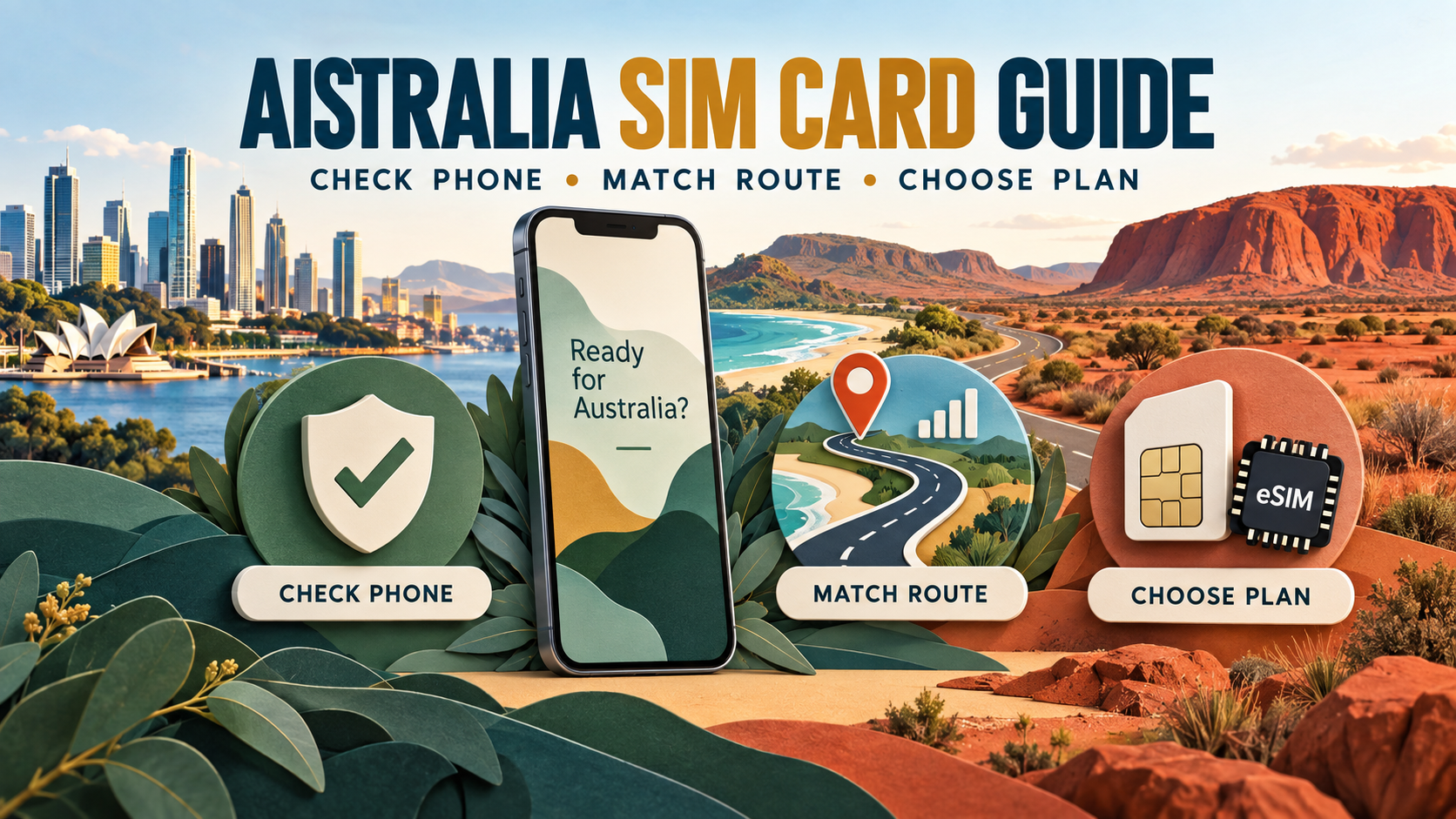
An Australia SIM card should fit three things: your exact phone model, the places you plan to visit, and whether you need an Australian number. Those are the real filters. A cheap plan offers little value if your phone cannot connect or your route falls outside the network you chose.
Choose your connection in 30 seconds
| Your trip | Best place to start | Check before paying |
|---|---|---|
| Short city break; mobile data only | Travel eSIM or local prepaid eSIM | Exact handset compatibility and the plan’s network |
| Coastal drive, national parks or regional towns | Network coverage first, then SIM type | Coverage along the route—not only at the destination |
| Longer stay; local calls or SMS matter | Australian prepaid SIM or operator eSIM | ID, activation, included calls and expiry |
| Late arrival; you want data ready | Travel eSIM installed before departure | Device support, activation trigger and data-roaming settings |
There is no single best Australian SIM card for every visitor. City coverage, long-distance travel, local-number needs and handset compatibility can lead to different answers.
Check your phone before choosing an Australia SIM card
For most visitors, compatibility is the first filter. What matters is the exact model and regional variant of the phone—not just the 4G or 5G icon on its box.
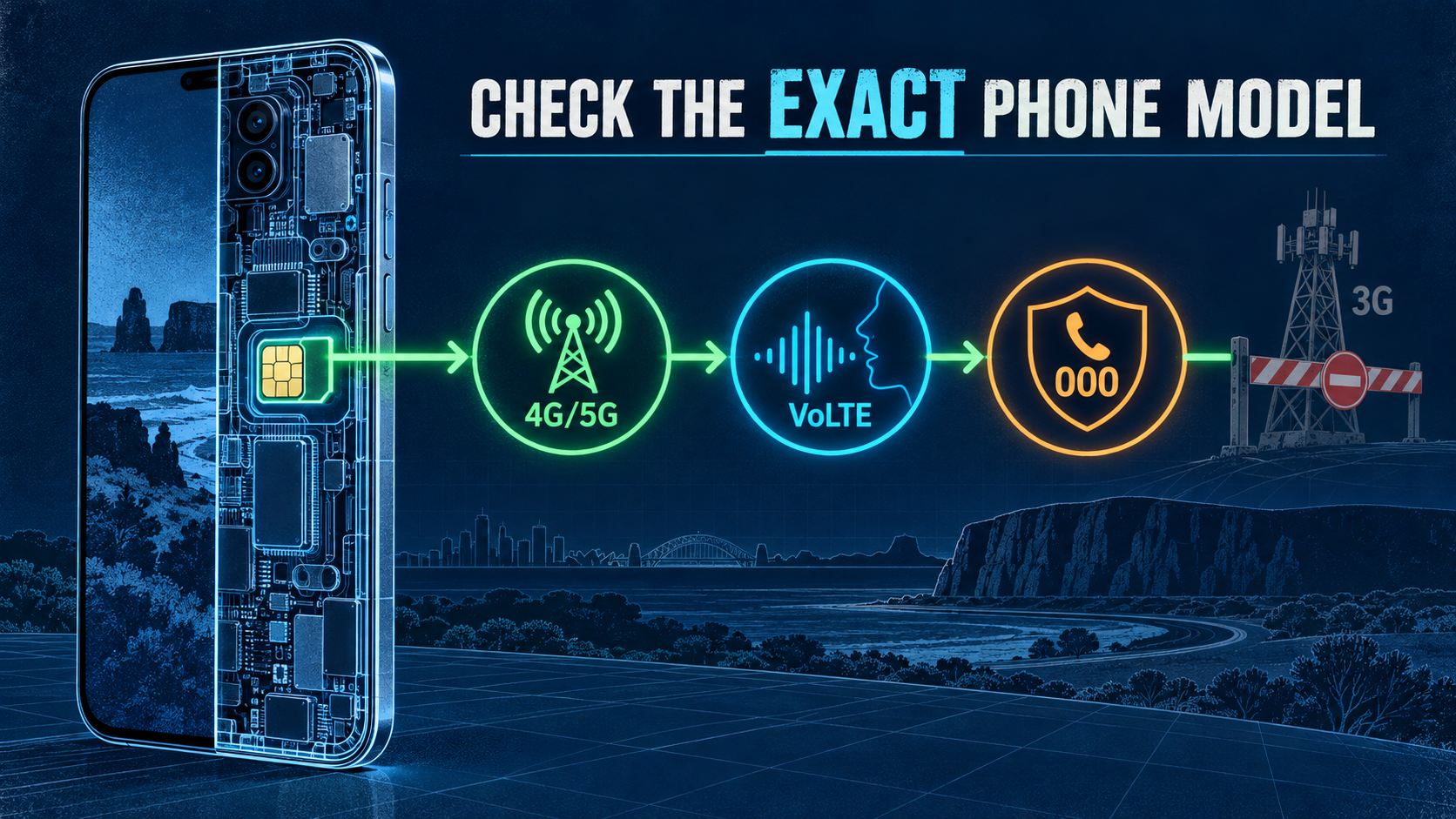
Australia’s 3G networks have closed. The Australian Communications and Media Authority (ACMA) warns that some older 4G phones and devices purchased overseas may not support the emergency-calling configuration required on Australian networks. A device that cannot access Triple Zero (000) can be blocked from mobile service, including data. ACMA provides an overview of the 3G network switch-off and affected devices.
Before buying any physical SIM or eSIM:
- Confirm that the phone is carrier-unlocked.
- Check the exact model against the operator’s Australian compatibility guidance.
- Confirm 4G/5G bands and VoLTE emergency-calling support.
- If you want an eSIM, check whether your phone supports eSIM.
Telstra specifically tells international visitors that an incompatible device may be blocked when it first attempts to connect. Its guidance also highlights VoLTE emergency calling and Band 28/700 MHz for parts of its 4G footprint. Compatibility should therefore be resolved before price or data allowance.
Choose a network by your route, not a national “best” label
Australian coverage varies far more by itinerary than a simple population percentage suggests. A network that works well across a city weekend may not be the most practical choice for a regional drive.

The itinerary changes the comparison:
- Major-city trips: for a Sydney, Melbourne, Brisbane, Perth or Adelaide stay, begin by checking all three network maps around your accommodation and planned venues. Price and plan format can then break the tie.
- Coastal drives: for routes such as the Great Ocean Road or an East Coast itinerary, check the road between stops as well as each town. A signal marker at the destination does not prove continuous service along the drive.
- Regional towns and national parks: inspect the precise highways, park entrances and overnight locations. Regional coverage can change over a short distance and may be weaker inside buildings or behind terrain.
- Remote or Outback travel: plan for gaps even on the network with the broadest map. Download maps and booking details and tell someone your route.
| Itinerary | Network starting point | What to verify |
|---|---|---|
| City-only visit | Compare Telstra, Optus and Vodafone | Accommodation, venues, indoor coverage and current plan terms |
| City plus coastal or regional driving | Compare Telstra and Optus first, then include Vodafone wherever its map fits the route | Highways, parks, overnight stops and the reseller’s underlying network |
| Remote or Outback itinerary | Start with the broadest available footprint, but assume there will still be gaps | The complete route, emergency plan and whether separate satellite communication is appropriate |
Remote-travel warning: no consumer SIM or eSIM guarantees coverage across remote Australia. For an off-grid drive, hike or work site, mobile data should be a convenience rather than the only safety system; consider an appropriate satellite communicator or satellite phone.
Check the current Telstra coverage map, Optus coverage maps and Vodafone coverage checker before purchase. Coverage maps are predictive tools, not guarantees inside every building or across every kilometre.
Also check which footprint a reseller uses. A plan may run on a major network without matching every inclusion, speed setting or coverage arrangement sold directly by that operator.
How the three Australian networks fit different trips
Telstra is the first network to investigate for regional roads, smaller towns or long distances between stops. That broader-footprint question matters less on a city-only break, where price, indoor reception and plan terms may be more useful tie-breakers. Telstra still does not cover every remote road, and a reseller may not have the same footprint as a Telstra-branded service.
Optus belongs in the comparison for city stays, major towns and many coastal itineraries. Its map still needs to be checked beyond the main population centres.
Vodafone is also worth comparing for city-focused travel. For a road trip, inspect every regional section rather than assuming metropolitan service will continue outside the city. With any travel eSIM or MVNO, identify the underlying Australian network first.
Decide whether you need an Australian phone number
A local number is the clearest dividing line between an Australian prepaid service and many travel eSIMs.
Choose a local prepaid SIM or operator eSIM when you expect to make traditional Australian calls, receive ordinary SMS messages, or keep one local number through a longer stay. Check the plan inclusions rather than assuming every prepaid product handles international calls in the same way.
A data-only travel eSIM can suit visitors who use WhatsApp, iMessage, FaceTime, maps, email and app-based bookings. Your original SIM can remain installed for services that depend on your home number, but roaming charges and dual-SIM settings still need attention.
The practical question is simple: if losing access to an Australian voice number would disrupt the trip, choose a product that explicitly provides one.
Local SIM, travel eSIM or roaming: compare the route to connection
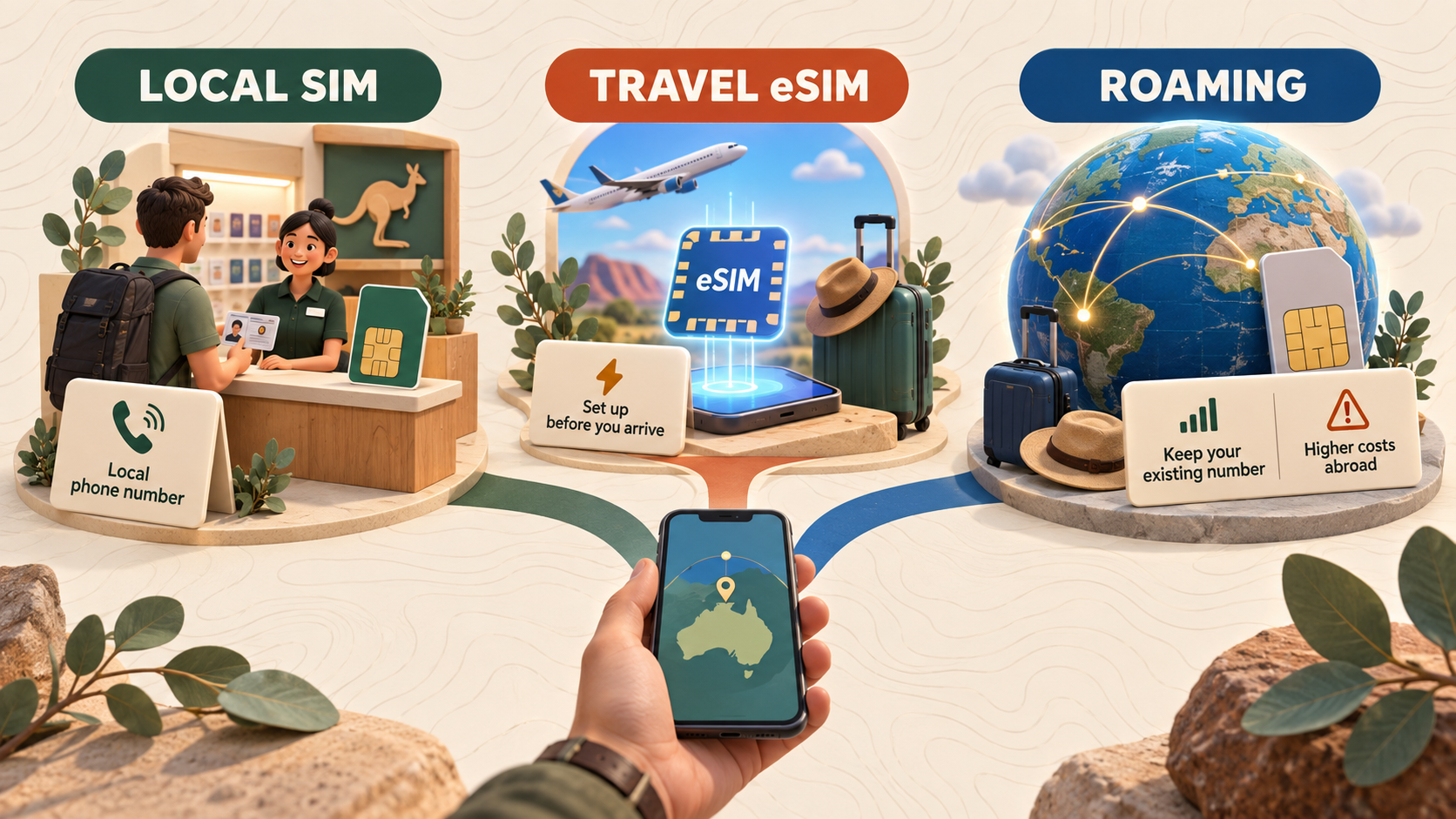
| Option | Works well when | Main trade-off |
|---|---|---|
| Australian physical prepaid SIM | You want a local number, in-person help or a physical card | Requires purchase, ID verification and activation; replacing your home SIM may be inconvenient |
| Australian operator eSIM | You want a local service without swapping a card | Still follows the operator’s eligibility, ID and activation process |
| Travel eSIM | You mainly need data and want to prepare before departure | Requires a compatible phone and may not include an Australian number, calls or SMS |
| Home-network roaming | Keeping your normal service unchanged matters most | Often simple, but cost, data limits and speed policies depend on your home carrier |
Before you pay: the details that change the decision
Some details deserve to be settled before checkout. The handset must be unlocked, and its exact regional model—not merely the model family—must support the intended network, eSIM and VoLTE emergency calling. The plan must also disclose whether it provides an Australian number or data only, which local network it uses and what starts the validity period.
Usage rules matter just as much as the headline allowance. Look for the hotspot policy and what happens after the high-speed data is used: the connection may stop, slow down or require a top-up. These details often separate two plans that otherwise look similar.
If mobile data is enough and arranging service before departure is the priority, the current Australia travel eSIM options provide one route to compare after the handset and itinerary are settled.
Where to buy and activate an Australia SIM card
Australian prepaid activation includes identity verification. ACMA says providers must collect a customer’s name, date of birth and home address and check the person’s identity. Verification methods vary, so read the selected provider’s current instructions before relying on one document or purchase channel. ACMA explains the national framework on its prepaid mobile ID-check page.
Common buying routes include:
- Operator stores: useful when you want staff support with selection and activation.
- Airport sellers: convenient after landing, but opening hours, stock and promotions can change.
- Supermarkets and electronics or convenience retailers: widely useful for starter packs, although you may still need to complete activation yourself.
- Online ordering: practical when delivery timing and an Australian address fit your plans.
Telstra’s current activation instructions list a passport among its accepted ID categories, but that does not guarantee that every retailer or operator flow handles every overseas document identically. Treat airport and store experiences as variable rather than universal rules.
Match the plan to trip length and real data use
The starter-pack price rarely tells the whole story. The included recharge, expiry, promotional period, speed policy, top-up method and data-rollover rules can change the real value of a plan.
Trip length matters because Australian prepaid offers often use their own recharge periods, while travel products may offer shorter or destination-specific validity. A seven-day visitor has a different problem from someone staying for a working holiday.
Estimate data from the activities you will actually use:
- maps, messaging and light browsing usually need less than video calls, streaming and cloud backup;
- hotspot use can consume a phone’s allowance quickly;
- automatic photo uploads and app updates should be controlled before a long drive.
| Usage pattern | Typical activities | Plan format to compare first |
|---|---|---|
| Light | Maps, messages, email, bookings and occasional browsing | A small fixed-total allowance, especially when reliable Wi-Fi is available |
| Regular | Daily navigation, social media, music and occasional short video | A larger fixed total or a daily high-speed allowance |
| Heavy or unpredictable | Hotspot sharing, video calls, streaming, remote work or frequent uploads | A higher daily allowance or an unlimited format with a clearly stated post-cap speed |
Use these ranges as a planning guide, then adjust for hotspot use, streaming and the Wi-Fi available during the trip. The checkout page should make clear whether the plan stops, slows or allows a top-up once the high-speed allowance is exhausted.
Travellers who prefer to arrange data before departure can compare fixed-total and daily high-speed formats on the Australia eSIM page linked above. Daily and Unlimited allowances reset at local midnight; Total-plan validity runs continuously from the first supported-network connection. Prices and availability belong on the live product page because they can change.
Which connection should you choose for your Australia trip?
For a short city visit, a data-only travel eSIM is often the simplest place to begin if the phone is compatible. It can be installed before departure, leaves the physical SIM slot free and avoids relying on an airport shop being open. The remaining question is when its validity begins.
Choose an Australian prepaid SIM or operator eSIM when a local number, ordinary calls or SMS will matter. This route also makes sense for a longer stay when local-service features outweigh the extra identity and activation steps.
For a coastal or regional road trip, reverse the usual shopping process: select the network footprint from the complete itinerary first, then compare physical SIM and eSIM options that use it. The remote-travel warning above still applies when the route extends beyond ordinary coverage.
Heavy data users should compare hotspot rules, high-speed allowances and post-cap behaviour instead of treating “unlimited” as a complete description. The right choice matches the trip’s network, validity and usage needs—not necessarily the largest headline allowance.
Set up before leaving reliable Wi-Fi
Whichever option you choose, finish the setup somewhere you can still troubleshoot.
- Save the QR code, activation instructions and provider support details securely.
- Install an eSIM over stable Wi-Fi, but follow its activation rules before switching on the travel line.
- Select the intended SIM for mobile data and check whether data roaming is required on that line.
- Turn off mobile data roaming on your home SIM if you do not want home-carrier charges.
- Test maps and messaging before leaving the airport, hotel or another reliable connection.
If you choose an eSIM, the eSIM installation guide covers the general setup sequence. Keep offline maps and important addresses available even after the phone connects; a correct setup cannot create coverage where no network is available.
Frequently asked questions
Do tourists need ID to activate a prepaid SIM in Australia?
Yes. Australian prepaid services are subject to identity checks. The accepted documents and exact activation flow depend on the provider, so check current official instructions before arrival.
Can an overseas 4G or 5G phone be blocked in Australia?
It can be. Some overseas or older devices may lack the required VoLTE emergency-calling configuration even if they support 4G or 5G data elsewhere. Check the exact model with the intended Australian network.
Is it better to buy an Australian SIM card at the airport?
Airport purchase is convenient when a staffed seller is open and has the product you want. An operator store may offer better activation support, while a pre-arranged travel eSIM can be easier for a compatible, data-only phone. Compare the complete process, not only the location.
Which Australian mobile network is best for a road trip?
There is no responsible answer without the route. Check each operator’s current map for the highways, parks, towns and accommodation on your itinerary, then keep offline navigation for predicted gaps.
Does a travel eSIM include an Australian phone number?
Not necessarily. Many travel eSIMs are data-only. If you need traditional calls or SMS on an Australian number, choose a product that explicitly includes them.
The practical choice
The right Australia SIM card is the one your exact phone can use on the route you are actually taking. For a city break, convenience may decide the purchase. For a regional drive, coverage should decide it. And for remote Australia, no SIM—physical or digital—should be mistaken for a complete safety plan.

High-speed data, wherever your journey leads
Enjoy instant, secure mobile data with Ezigo eSIM in 200+ destinations. No physical SIM needed.